
Description
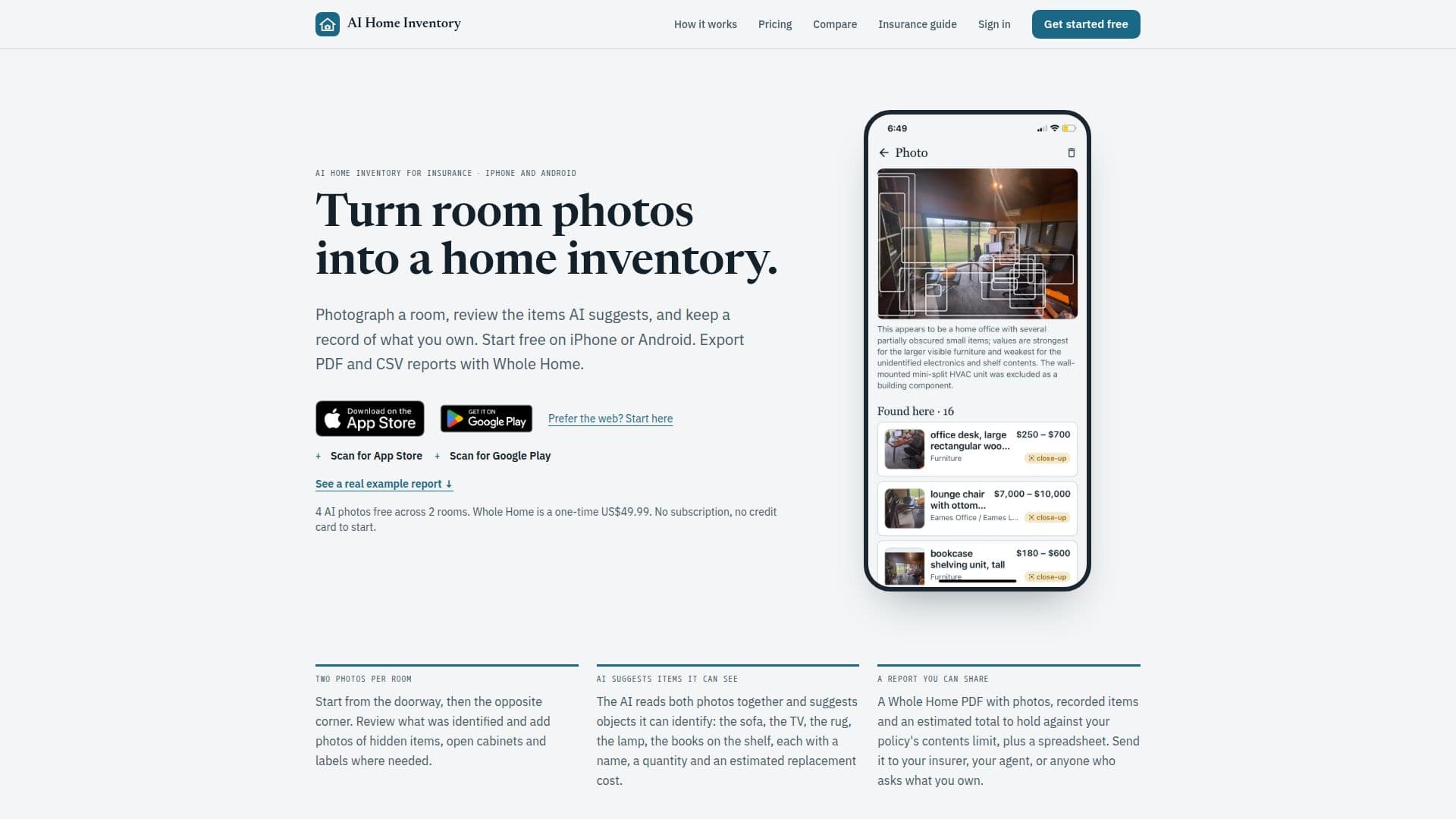
AI Home Inventory is a dedicated mobile application designed for iPhone and Android users to streamline the process of creating a comprehensive home inventory. The app leverages AI to identify and list items from room photographs, offering estimated replacement-cost ranges for visible objects. This functionality is particularly useful for insurance documentation, allowing users to build a detailed record of their possessions.
Read More
The core functionality involves taking two wide-angle photos of a room from different corners. The AI then processes these images to generate an initial list of items, complete with names, quantities, and estimated replacement values. Users can easily review, edit, and add items manually. For high-value or unidentifiable items, the app prompts for close-up photos of labels or receipts to refine estimates, though it does not appraise jewelry, art, or collectibles, which require user-entered appraisal values.
The app offers a free tier that includes 4 AI photos across 2 rooms, allowing users to experience its capabilities before committing to a purchase. The "Whole Home" upgrade, a one-time purchase, expands this to 60 AI photos, unlimited rooms, and essential features like PDF and CSV report exports, receipt and appraisal attachments, and an annual re-scan reminder. Additional photo packs are available for purchase if more scans are needed, and there are no recurring subscriptions.
AI Home Inventory addresses a critical need for homeowners and renters to document their belongings for insurance claims, moving purposes, or general record-keeping. It helps users understand their total contents value against policy limits, potentially preventing underinsurance. The inventory, including photos and item records, is stored with the user's account online, ensuring accessibility even if the phone is lost. The app emphasizes that while it provides estimates, actual claim payments depend on insurer policies and supporting evidence like receipts and appraisals, which can be attached within the app.
- CategoryProductivity
- Pricing ModelFreemium
- DeploymentCloud
- PlatformsiPhone, Android
AI Home Inventory's Core Features
Generate item lists from room photos
AI-suggested item identification
Estimated replacement-cost ranges for items
Review and correct AI-generated item lists
Add items manually to inventory
Capture close-up photos for item detail and value refinement
Export PDF and CSV reports for insurance
Store inventory records off-phone with user account
Policy contents-limit check
Attach receipts and appraisals to items
Annual re-scan reminder
No subscription model, one-time purchase for Whole Home
Available on iPhone and Android
Supports multiple homes with additional purchases
How to use AI Home Inventory?
Photograph the room: Take two wide shots from different corners of a room as guided by the app.
Review AI suggestions: The AI processes photos to list visible items with estimated replacement costs.
Refine inventory: Swipe through item cards to keep, remove, or request close-ups for valuable or unidentifiable items.
Add details: Photograph labels or receipts for close-ups to refine item estimates or enter appraisal values for specific items.
Generate report: Create a PDF or CSV report of your inventory, including photos, items, and total estimated value.
Share report: Send the generated report to your insurance agent or other relevant parties directly from the app.
AI Home Inventory's Use Cases
- Insurance Claim Documentation
- Home Contents Valuation
- Renters Insurance Inventory
- Moving and Relocation
- Estate Planning
- Personal Asset Management