Description
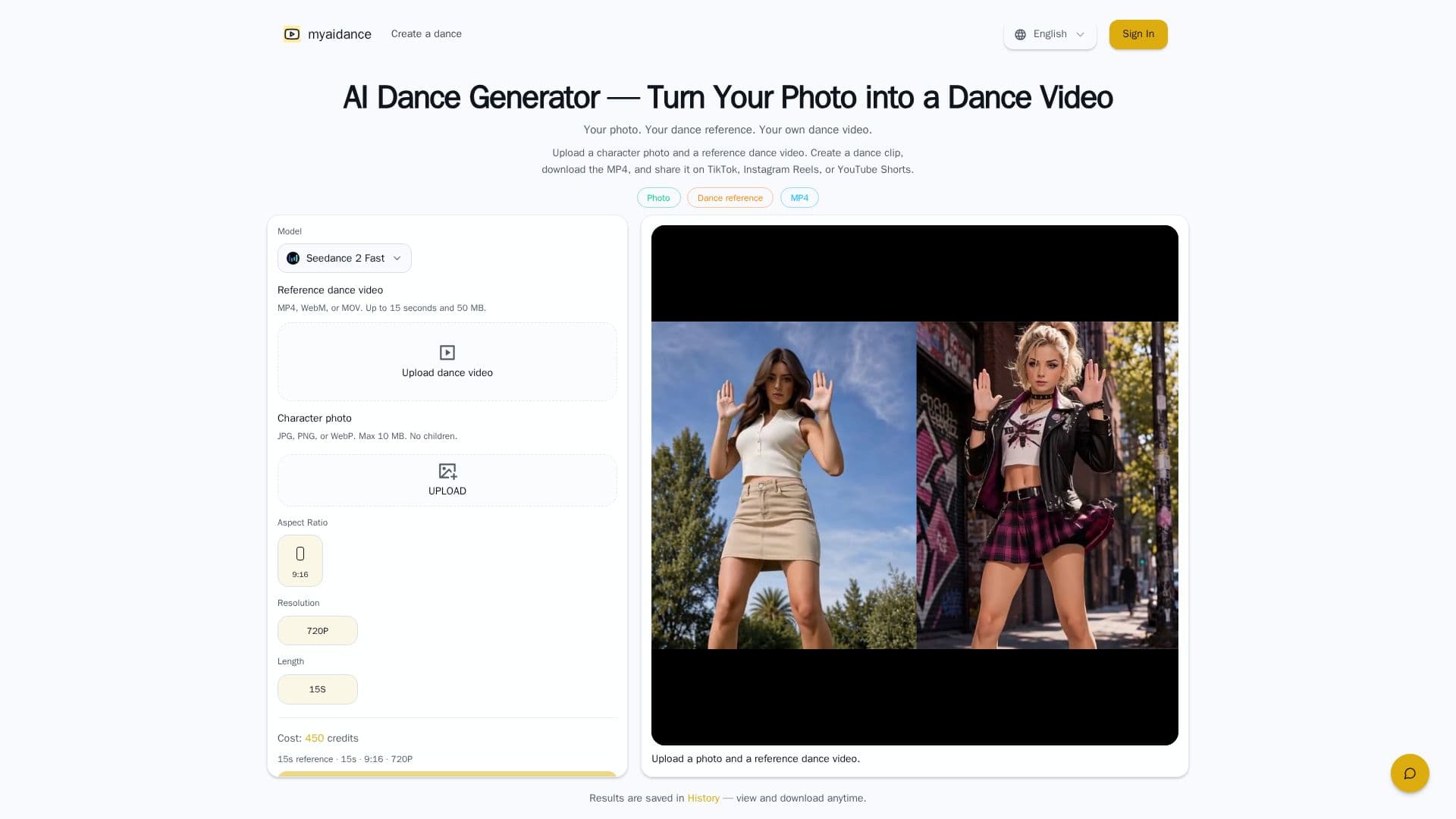
The AI Dance Generator allows users to create custom dance videos by combining a static image with a dynamic dance reference. This innovative tool takes one subject photo and a reference video showcasing specific choreography, then synthesizes them into a downloadable MP4 dance clip. It's designed for individuals looking to produce unique dance content for social media platforms like TikTok, Instagram Reels, YouTube Shorts, and YouTube.
Read More
To get started, users simply upload their chosen character photo, which can be an adult, a pet, or an anime character (children's photos are strictly prohibited). The photo should ideally be front-facing, full-body, and well-lit for optimal results. Alongside the photo, a reference dance video is required, demonstrating the desired choreography. This video can be up to 15 seconds long and 50 MB in size, supporting MP4, WebM, or MOV formats. The system emphasizes that a dance name, text prompt, or social media link cannot substitute for an actual uploaded reference video.
New accounts are granted 20 credits without requiring a credit card, enabling users to experiment with the generator. The cost of each generation varies based on selected settings such as model, resolution, and length, with some configurations potentially exceeding the initial signup bonus. Users can review the credit cost before initiating the generation process. While the initial credits are for trial purposes, commercial use of generated videos is available with Plus, Pro, Boost, and Studio paid plans, requiring users to consult the pricing page and terms of service.
Generated dance videos can be previewed before being downloaded as MP4 files, ready for editing or direct upload to social media. The platform advises users to check the clip for naturalness, as fast choreography can sometimes lead to distortions in faces, hands, and feet. The AI Dance Generator provides a creative solution for producing engaging dance content without the need for a camera or complex video editing skills, making it accessible for a wide range of content creators.
- CategoryAI Video Generators
- Pricing ModelFreemium
- DeploymentCloud
- PlatformsWeb
AI Dance Generator's Core Features
Photo-to-dance video generation
Upload subject photo (JPG, PNG, WebP, up to 10 MB)
Upload reference dance video (MP4, WebM, MOV, up to 15 seconds, 50 MB)
Supports adult, pet, and anime characters as subjects
Generates MP4 dance clips
Downloadable MP4 for editing and sharing
20 free credits for new accounts (no credit card required)
Commercial use available with paid plans (Plus, Pro, Boost, Studio)
History feature to view and download past results
Adjustable aspect ratio, resolution, and length settings
Credit cost displayed before generation
Preview generated dance clips
How to use AI Dance Generator?
Create Account: Sign up to receive 20 free credits without needing a credit card.
Upload Subject Photo: Add one JPG, PNG, or WebP photo (up to 10 MB) of an adult, pet, or anime character.
Upload Reference Video: Provide an MP4, WebM, or MOV video (up to 15 seconds, 50 MB) demonstrating the desired dance choreography.
Review Cost: Check the credit cost displayed on the generation button, as it varies by settings.
Generate Dance Video: Initiate the process to create your custom dance clip.
Download & Share: Preview the generated MP4, then download it for editing or uploading to social media platforms.
AI Dance Generator's Use Cases
- Social Media Content Creation
- Personalized Dance Clips
- Anime Character Animation
- Pet Entertainment Videos
- Choreography Experimentation
- Digital Art & Avatars
- Marketing & Advertising (Paid)