
Description
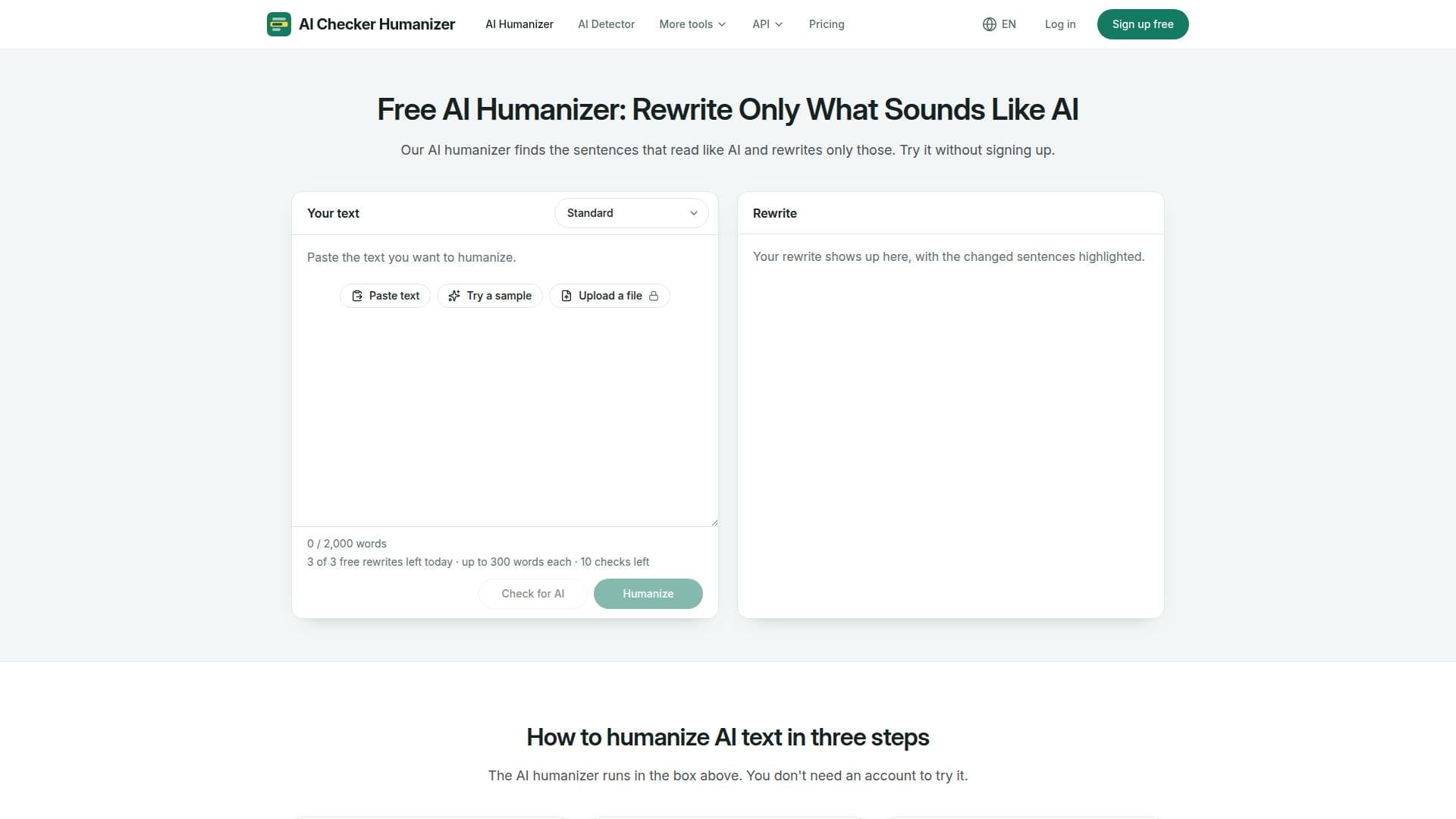
AI Checker Humanizer is a dedicated online platform designed to transform AI-generated text into more human-like prose, specifically targeting sentences that AI detection tools might flag. The core functionality revolves around selectively rewriting only the identified sentences, ensuring that the original meaning, critical citations, numbers, dates, and links remain intact. This precise approach helps users refine their content without losing essential information or altering factual data.
Read More
The tool operates by allowing users to paste their text, which is then analyzed to identify sentences that read like AI. In English and Portuguese, the system automatically selects these sentences for rewriting, while in Spanish and French, it provides a whole-text verdict and allows users to manually select sentences. Users can review each rewritten sentence side-by-side with the original, offering control over the final output. If a rewrite fails a meaning, number, or negation check, the original sentence is retained and does not count towards word usage.
AI Checker Humanizer supports four distinct writing modes: Standard, Academic, Casual, and Concise. Standard and Concise modes are available for free, catering to general writing and sentence shortening, respectively. Academic and Casual modes, available with paid plans, adjust the tone for formal essays or informal social posts, with Academic mode specifically designed to maintain hedges and a formal tone while preserving citations. The platform also includes an AI detector that works in English, Spanish, Portuguese, and French, allowing users to check their text before and after humanization.
Targeting a diverse audience, AI Checker Humanizer is beneficial for students who need to refine their essays, individuals writing in a second language to ensure natural flow, marketers and SEO writers looking to humanize AI-drafted content, and editors reviewing contributed text. The platform offers a free tier with daily word limits and paid plans (7-day pass, Plus, Pro) that provide higher word counts and access to all writing modes. An API is also available for developers to integrate humanization and detection capabilities into their own applications.
Privacy is a key consideration, with the service stating it does not train models on user text or sell it. Text is kept encrypted for a limited time and then deleted, with longer retention periods for signed-in users' drafts. While the tool aims to make text sound more human, it transparently states that it cannot guarantee bypassing all AI detectors, as these tools are constantly evolving. Users are encouraged to check their institution's or employer's rules regarding AI tool usage.
- CategoryAI Humanizers
- Pricing ModelFreemium
- DeploymentCloud
- PlatformsWeb
AI Checker Humanizer's Core Features
Selective AI Text Rewriting: Rewrites only sentences flagged by detectors.
Meaning Preservation: Ensures original meaning, numbers, and negations are kept.
Citation and Number Locking: Automatically locks quotes, citations, numbers, dates, and links.
Side-by-Side Comparison: View original and rewritten sentences for easy review.
Multiple Writing Modes: Offers Standard, Academic, Casual, and Concise modes.
Multi-Language Support: Works in English, Spanish, Portuguese, and French.
Free Tier Available: Daily free rewrites and words for basic use.
AI Detection: Includes a free AI checker for text analysis.
API Access: Integrate humanization and detection into other applications.
Document Upload: Supports .docx, .pdf, or .txt file uploads with paid plans.
No Account Option: Try the tool without signing up for limited use.
Refund Policy: Clear refund rules for passes and subscriptions.
Privacy Focused: Does not train models on user text or sell data.
Hidden Character Cleaner: Removes zero-width characters and normalizes spaces.
How to use AI Checker Humanizer?
Paste Text: Enter your text into the provided box or upload a .docx, .pdf, or .txt file.
Select Sentences: The tool identifies and selects AI-like sentences (automatic for English/Portuguese, manual for Spanish/French).
Review Locks: Check and adjust locked citations, numbers, and names to ensure accuracy.
Choose Mode: Select a writing mode (Standard, Academic, Casual, Concise) to influence the rewrite style.
Humanize and Compare: Click 'Humanize' to rewrite selected sentences and compare them side-by-side with the original.
Finalize Draft: Keep, revert, or re-rewrite sentences, then check the draft again for AI detection.
AI Checker Humanizer's Use Cases
- Academic Essay Refinement
- Second Language Writing
- Marketing Content Optimization
- Editorial Review
- API Integration for Apps
- AI Text Detection
- Content Tone Adjustment
- Cleaning Text