
Description
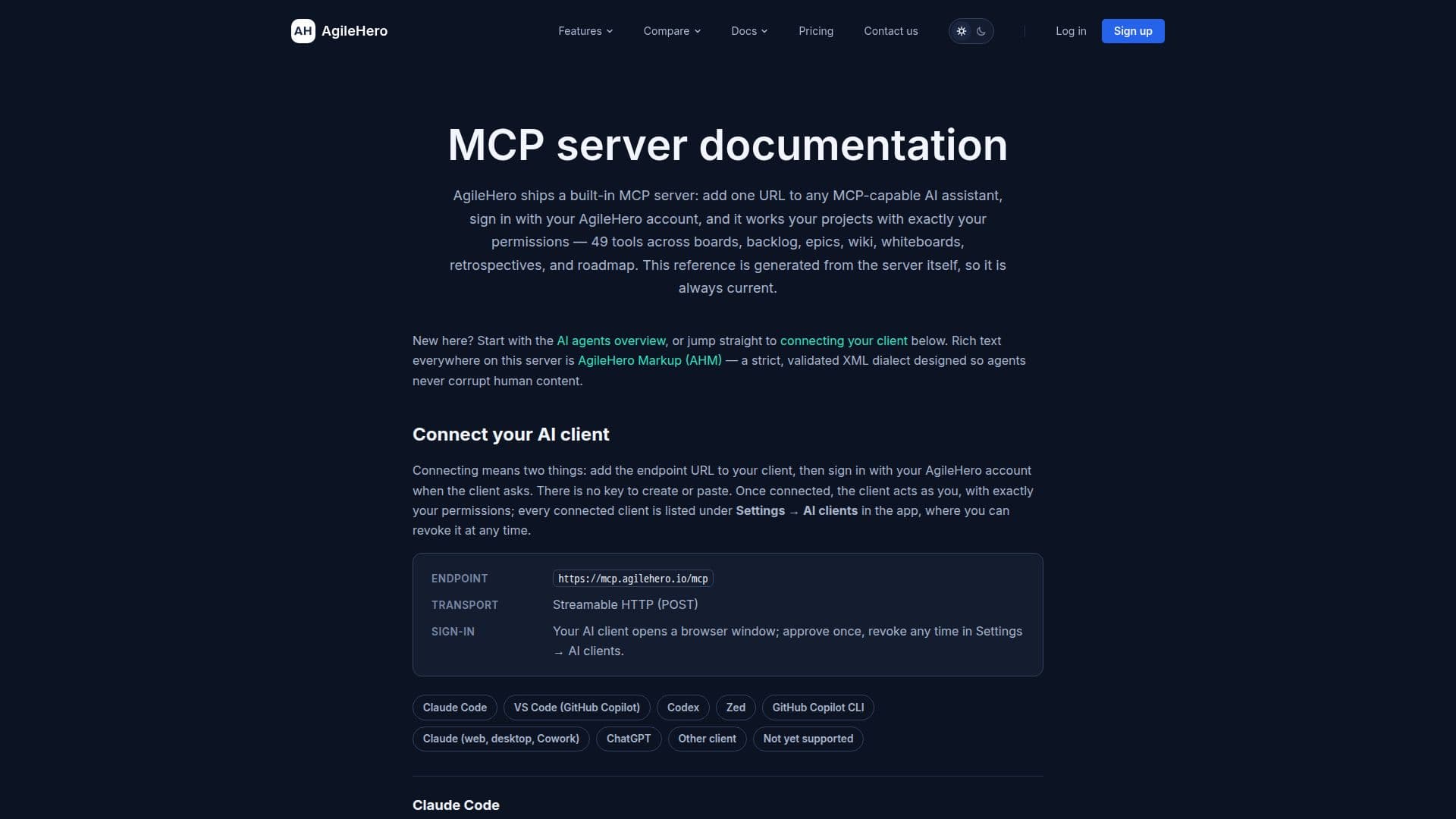
AgileHero MCP Server is a comprehensive tool designed to enhance project management by providing AI agents access to 49 different tools. These tools include boards, backlog, epics, wiki, whiteboards with server-side diagram layout, retrospectives, and roadmap. The server supports OAuth sign-in setup for popular platforms such as Claude, ChatGPT, Claude Code, VS Code, Codex, Zed, and GitHub Copilot CLI. This integration allows seamless connectivity and authentication, ensuring secure access to the tools.
Read More
The server operates through a streamable HTTP POST transport, allowing AI clients to open a browser window for sign-in approval. AgileHero MCP Server is particularly beneficial for teams using AI agents to automate and streamline their project management tasks. It offers a free plan with a daily limit of 500 tool calls per user per workspace, while the Pro plan increases this limit to 5,000 calls.
AgileHero MCP Server requires a Pro or trial plan for certain tools like wiki, whiteboard, retrospective, and roadmap, ensuring that users have access to advanced features. The server's daily limits reset at 00:00 UTC, and users can upgrade their plans to access more calls. AgileHero MCP Server is ideal for teams looking to integrate AI capabilities into their project management workflow, offering real-time collaboration and comprehensive tool access.
- CategoryAI Project Management
- Pricing ModelFreemium
- DeploymentCloud
- PlatformsWeb
AgileHero MCP Server's Core Features
49 tools for AI agents
OAuth sign-in support
Streamable HTTP POST transport
Daily limit of tool calls
Pro plan for advanced tools
Real-time collaboration
Secure access with OAuth
Integration with popular platforms
How to use AgileHero MCP Server?
Configure: Set up OAuth sign-in for your platform
Use: Access tools like boards and backlog
Optimise: Upgrade to Pro for more features
Manage: Monitor daily tool call limits
AgileHero MCP Server's Use Cases
- Project Management
- Team Collaboration
- Tool Integration
- Workflow Automation
- Secure Access