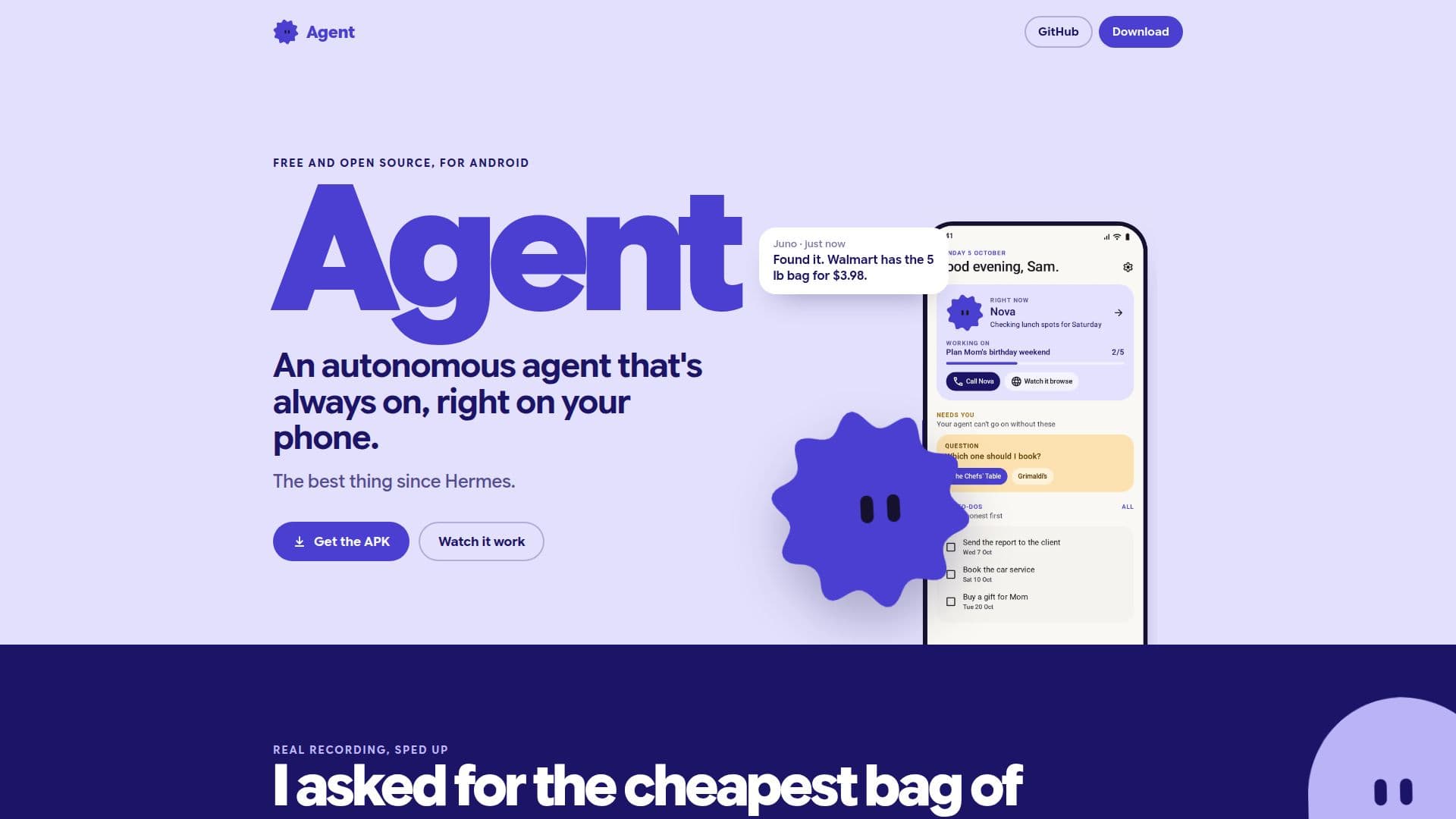
Description
Agent is a free, open-source Android application designed to bring an autonomous AI agent directly to your smartphone. This innovative tool operates with its own integrated browser, enabling it to interact with websites and perform tasks independently, even while you use other applications. It can teach itself how to navigate and extract data from specific websites, such as finding product prices on e-commerce sites or retrieving homework assignments from a school portal.
Read More
The core functionality of Agent revolves around its ability to "map" a website. You provide the agent with a website address, and it uses its browser to understand the site's structure and data flow. It then creates small, specialized tools for that site, allowing it to quickly retrieve information or perform actions without needing to re-learn the site every time. For instance, after mapping an e-commerce site, you could ask it to find the cheapest bag of bread flour, and it would autonomously search, compare prices, and provide links to buy.
Agent is designed for user control and privacy. It does not store passwords or cookies; instead, its tools run within your own signed-in browser session. When the agent finishes mapping a site, you review and approve the set of tools it has created. Any action that involves sending, posting, or deleting information requires your explicit permission, unless you have specifically trusted that application. The agent also features a "No" button on every request, allowing you to refuse any action with a single tap.
Key features include a persistent memory, where everything the agent learns is stored as markdown pages in a wiki on your phone, fully editable by the user. This memory can be exported and imported as a zip file, allowing for easy backup and transfer. The app supports various large language model subscriptions like ChatGPT and Claude, or allows you to paste keys from DeepSeek, Gemini, OpenRouter, and OpenCode, or even point it to your own server. It can run tasks on a schedule or in response to notifications, only alerting you when something significant changes. Users can customize the app's appearance, including its name, face, and color scheme.
Agent prioritizes user privacy and data ownership. There is no account creation or server involvement from the developers; all data and operations remain on your phone, with only calls to your chosen language model leaving the device. The application requires approximately 2 GB of free space for installation and is currently at version 0.11.22. While powerful, it's important to note that mapping complex sites or those with frequent CAPTCHAs may pose challenges, and users should always check a site's terms of service before directing the agent to it.
- CategoryAutomation & Agents
- Pricing ModelFree
- DeploymentOn-device
- PlatformsAndroid
Agent's Core Features
Autonomous AI agent on Android phone
Integrated web browser for site interaction
Website learning and mapping capability
Creates specialized tools for learned websites
Persistent, editable memory stored as markdown wiki
Supports various LLM subscriptions (ChatGPT, Claude, DeepSeek, Gemini, OpenRouter, OpenCode)
Runs on a schedule or via notifications
User approval for all actions and tool saving
No password or cookie storage; runs in user's browser session
Export and import memory as zip files
Customizable app appearance (name, face, color)
No developer account or server required; data stays on phone
Shopping answers displayed as product cards
Connects to multiple workspaces (Slack, Notion, Teams)
One-tap refusal for agent requests
How to use Agent?
Install Agent: Download and install the Agent APK file on your Android phone, ensuring you have about 2 GB of free space.
Configure LLM: Sign in with your existing ChatGPT or Claude subscription, or paste an API key from DeepSeek, Gemini, OpenRouter, OpenCode, or connect to your own server.
Teach a Website: Tell the agent the address of a website you use. It will open the site in its own browser and learn how to extract data and perform actions.
Approve Tools: After mapping, review and approve the set of tools the agent has created for that website.
Ask Questions/Tasks: Ask the agent to find information or perform tasks related to the learned website, such as finding prices or checking homework.
Manage Memory: Access the on-phone wiki to read and edit the agent's memory, or export/import memory as a zip file.
Customize Settings: Give the agent a name and face, and choose the app's color scheme.
Agent's Use Cases
- Automated Shopping Research
- Academic Portal Management
- Information Gathering
- Personalized Daily Briefings
- Price Monitoring
- Workspace Integration
- Personal Knowledge Base