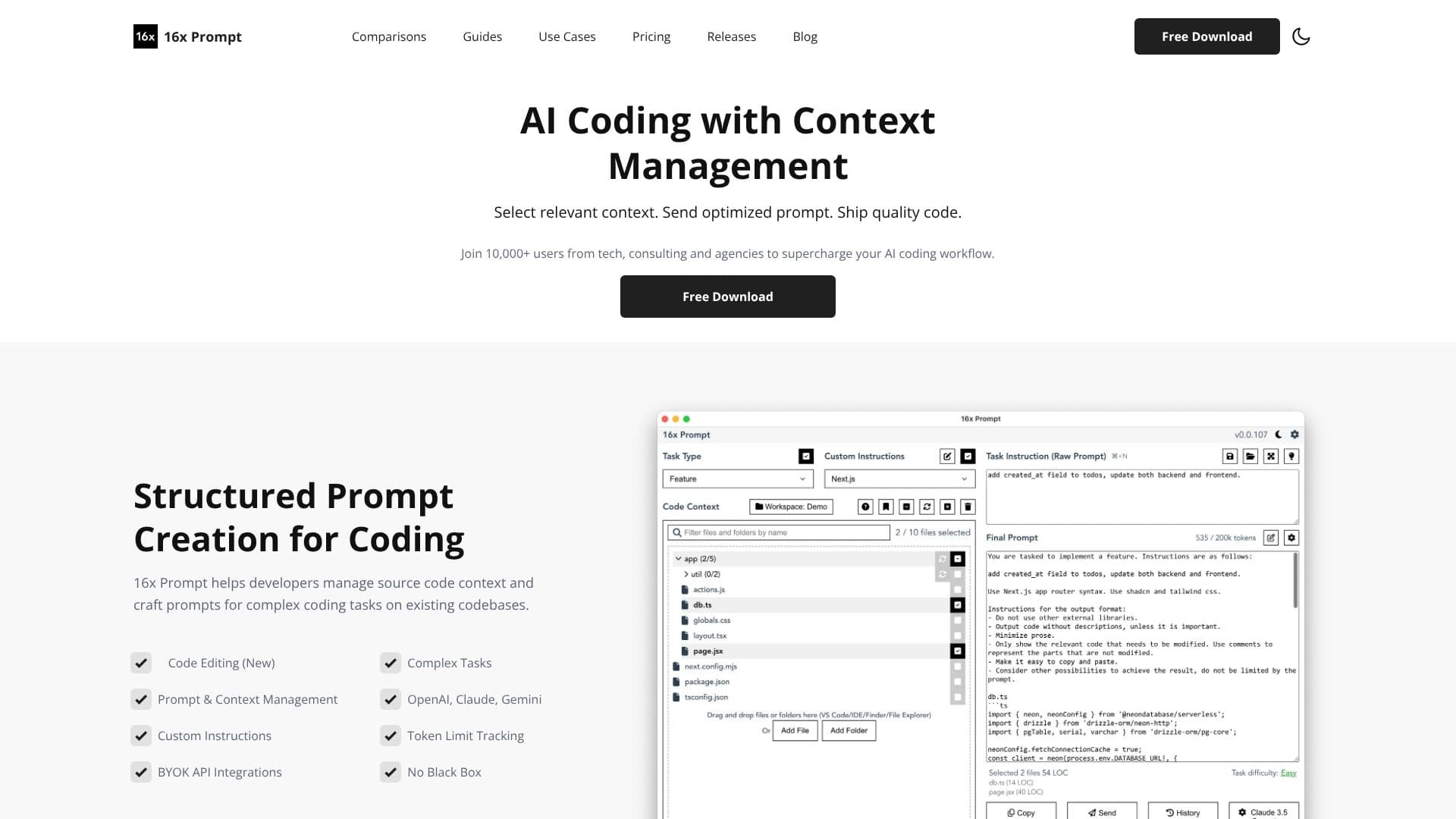
Description
16x Prompt is a desktop application designed to supercharge AI coding workflows for developers, consultants, and agencies. It addresses the challenge of managing source code context and crafting effective prompts for complex coding tasks on existing codebases. By selecting relevant context and sending optimized prompts, users can ship quality code more efficiently.
Read More
The application facilitates structured prompt creation, allowing developers to manage source code context and build prompts for intricate coding challenges. Key features include code editing with automatic change application and visual diffs, prompt and context management, custom instructions, and BYOK (Bring Your Own API Key) integrations. It also offers token limit tracking to ensure prompts stay within LLM constraints.
16x Prompt supports a wide array of LLM API integrations, including OpenAI, Anthropic Claude, Google Gemini, DeepSeek, OpenRouter, Ollama, and Azure OpenAI. It also accommodates other providers with OpenAI API compatibility, such as Fireworks and Hyperbolic. Users can choose to copy the final prompt for direct use in platforms like ChatGPT or send it via API. The code edit feature allows for safe application of AI-generated code changes, with automatic backups and reversibility for confident coding.
For enhanced comparison, users can compare LLM responses side-by-side when using API integrations, helping to identify the best model for specific use cases. Prompt management capabilities enable saving frequently used prompts as task instructions for reuse, streamlining repetitive coding tasks. Custom instructions can be crafted and saved for various tech stacks like Next.js, Python, and SQL, with optimization settings to fine-tune prompt results.
Workspaces allow for organized management of multiple repositories and projects, enabling easy switching and the inclusion of related projects, such as frontend and backend repositories within a single workspace. The application prioritizes local data privacy, operating without an internet connection for prompt generation, and users can leverage their existing ChatGPT Plus or Claude Pro subscriptions for API access without additional API call fees. The tool supports all major programming languages and popular frameworks, making it a versatile solution for modern development needs.
- CategoryPrompt Engineering Tools
- Pricing ModelFreemium
- DeploymentDesktop Application
- PlatformsWindows, macOS, Linux
16x Prompt's Core Features
AI-powered prompt generation for coding tasks
Advanced context management for source code
Integration with multiple LLM APIs (OpenAI, Claude, Gemini, etc.)
Code editing with visual diffs and reversible changes
Prompt and context management with saved instructions
Customizable instructions for various tech stacks
Workspace organization for multiple repositories and projects
Token limit tracking for LLM prompts
Side-by-side comparison of LLM responses
Local data processing for enhanced privacy
Support for BYOK (Bring Your Own API Key)
Free download with a daily prompt generation limit
How to use 16x Prompt?
Configure: Set up your API keys and custom instructions in the application settings.
Select Context: Choose relevant source code files and add task instructions.
Craft Prompt: Utilize the structured prompt creation tools to optimize your prompt.
Generate Code: Send the optimized prompt via API or copy it for use in LLM interfaces.
Review Changes: If using code editing, review visual diffs of AI-generated code.
Apply or Revert: Safely apply code changes or roll back if necessary.
16x Prompt's Use Cases
- Code Generation
- Code Refactoring
- Documentation Writing
- Bug Fixing
- Feature Implementation
- Prompt Engineering
- Multi-Repository Projects