Description
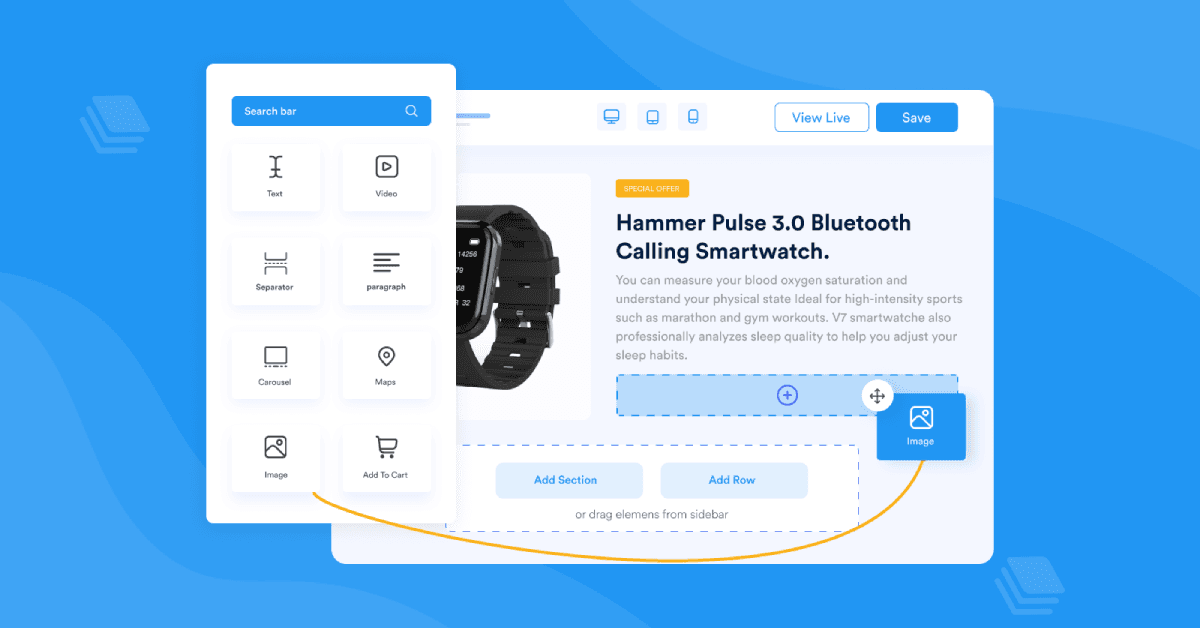
Zeno Builder is an AI-powered page builder specifically designed for Shopify and BigCommerce platforms. It allows users to design their online stores effortlessly using human prompts, making the process intuitive and accessible. The tool features a drag-and-drop user interface, which simplifies the customization of store layouts. With over 10,000 brands trusting Zeno Builder, it has established itself as a reliable solution for e-commerce businesses.
The platform offers more than 100 ready-to-use element blocks, ensuring that users have a wide variety of design options at their disposal. Additionally, Zeno Builder supports fully responsive designs, allowing for seamless adaptation across mobile, desktop, and tablet devices. This flexibility is crucial for businesses aiming to provide a consistent user experience across different platforms.
Zeno Builder also extends its functionalities through add-ons such as a currency converter, announcement bar, Facebook Messenger integration, and lazy loading. These features enhance the overall functionality of online stores, providing users with tools to improve customer engagement and site performance.
The pricing structure of Zeno Builder includes a Community plan that allows users to try out the app's functionalities for free. This plan includes a powerful visual editor, high-speed CDN, live chat support, one landing page, one blog post, and five theme sections. This freemium model enables users to explore the tool's capabilities before committing to a paid plan.
Zeno Builder is ideal for e-commerce businesses looking to enhance their online presence with minimal effort. Its intuitive design and comprehensive feature set make it a valuable tool for store owners, designers, and developers seeking to optimize their store layouts and improve user experience.
Zeno Builder's Core Features
AI-powered page building
Drag-and-drop interface
100+ ready-to-use elements
Fully responsive design
Currency converter add-on
Announcement bar
Facebook Messenger integration
Lazy loading
How to use Zeno Builder?
Configure: Set up your store preferences
Use: Design pages with drag-and-drop elements
Optimize: Enhance store with add-ons
Publish: Launch your customized store
Zeno Builder's Use Cases
- E-commerce store design
- Responsive layout creation
- Enhanced customer engagement
- Efficient store management
- Brand trust building