Description
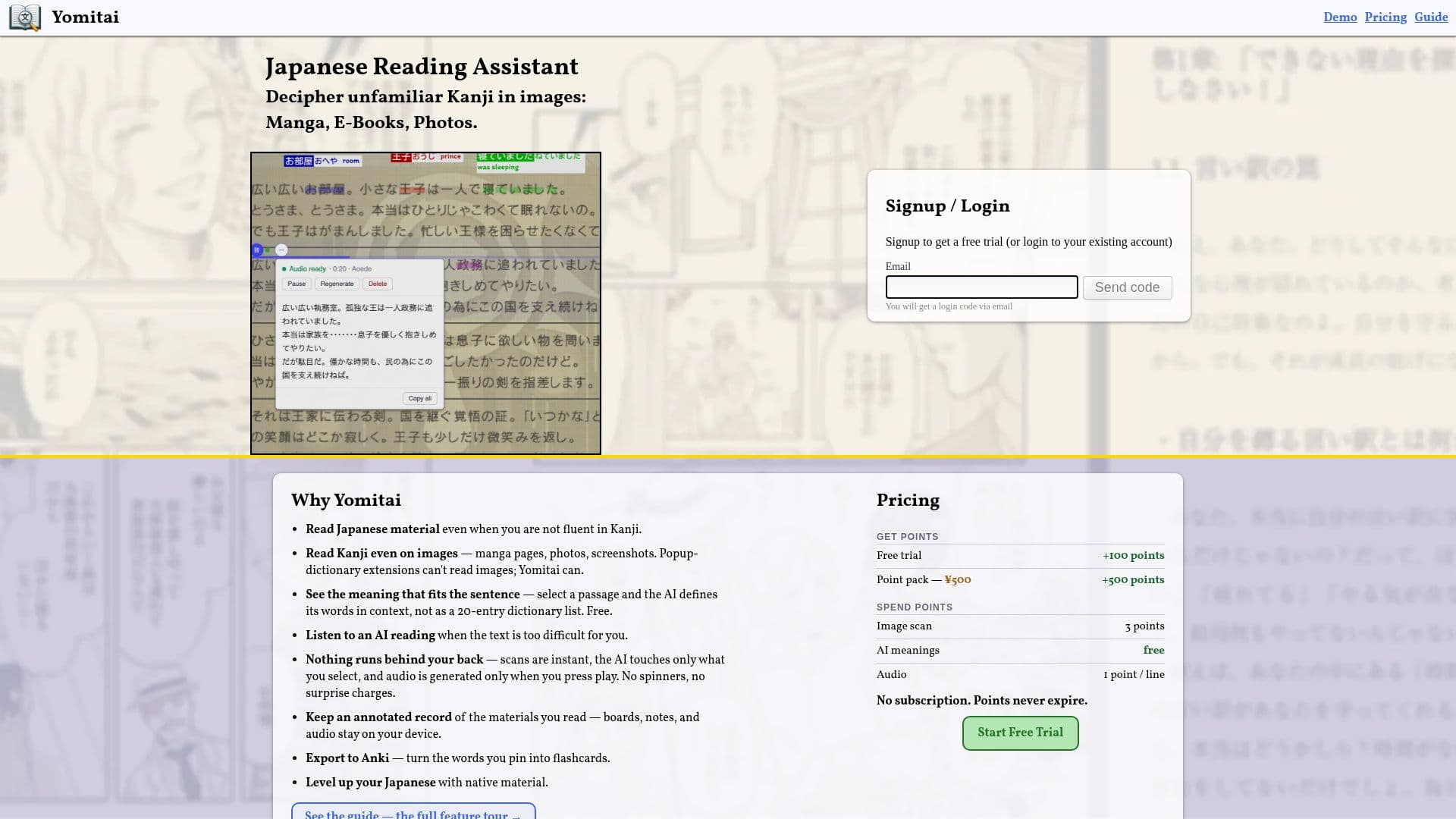
Yomitai helps people read Japanese material even when they are not fluent in kanji. Unlike popup-dictionary browser extensions that only work on selectable text, Yomitai reads Japanese directly from images such as manga pages, book photos, game screenshots, and signs. Users upload an image, and the text is recognized almost instantly, with both vertical and horizontal Japanese supported.
Read More
After an image is loaded, tapping any word shows its reading and dictionary meaning. Drawing a box around a passage creates a text block, which asks the AI to define the words in the sense that fits that sentence rather than returning a long dictionary list. Blocks can also be played back as AI-generated audio for text that is too difficult to read, and the plain text can be copied.
Uploads become boards where images, pinned notes, AI meanings, and audio are kept together. Pinned words can be exported to Anki as flashcards, with the word on the front and its reading and meaning on the back. Boards are stored locally in the browser and stay on the user's device.
Yomitai uses a points system rather than a subscription. Accounts sign in with an emailed one-time code, points are purchased in packs and never expire, and features like image scans, AI meanings, and audio each consume points. Exporting to Anki is free. Yomitai is made by Judi Systems, an independent developer based in Tokyo.
- CategoryLanguage Learning Apps
- Pricing ModelFreemium
- DeploymentCloud
- PlatformsWeb
Yomitai's Core Features
Text recognition from images: manga, photos, screenshots, and signs
Vertical and horizontal Japanese support
Tap any word for reading and dictionary meaning
Context-aware AI meanings for selected passages
AI audio narration of text blocks
Pinned notes and boards saved locally on your device
Export pinned words to Anki flashcards
Points-based pricing with no subscription
How to use Yomitai?
Sign up: Register with your email to receive free trial points.
Add an image: Select a file, paste from clipboard, or drag and drop a picture onto the page.
Look up words: Tap any recognized word to see its reading and meaning.
Select a passage: Drag a box to create a block and get context-aware AI meanings.
Listen or export: Press play to hear a block read aloud, or export pinned words to Anki.
Yomitai's Use Cases
- Read untranslated manga
- Play Japanese games
- Study with flashcards
- Listen to hard passages