
Description
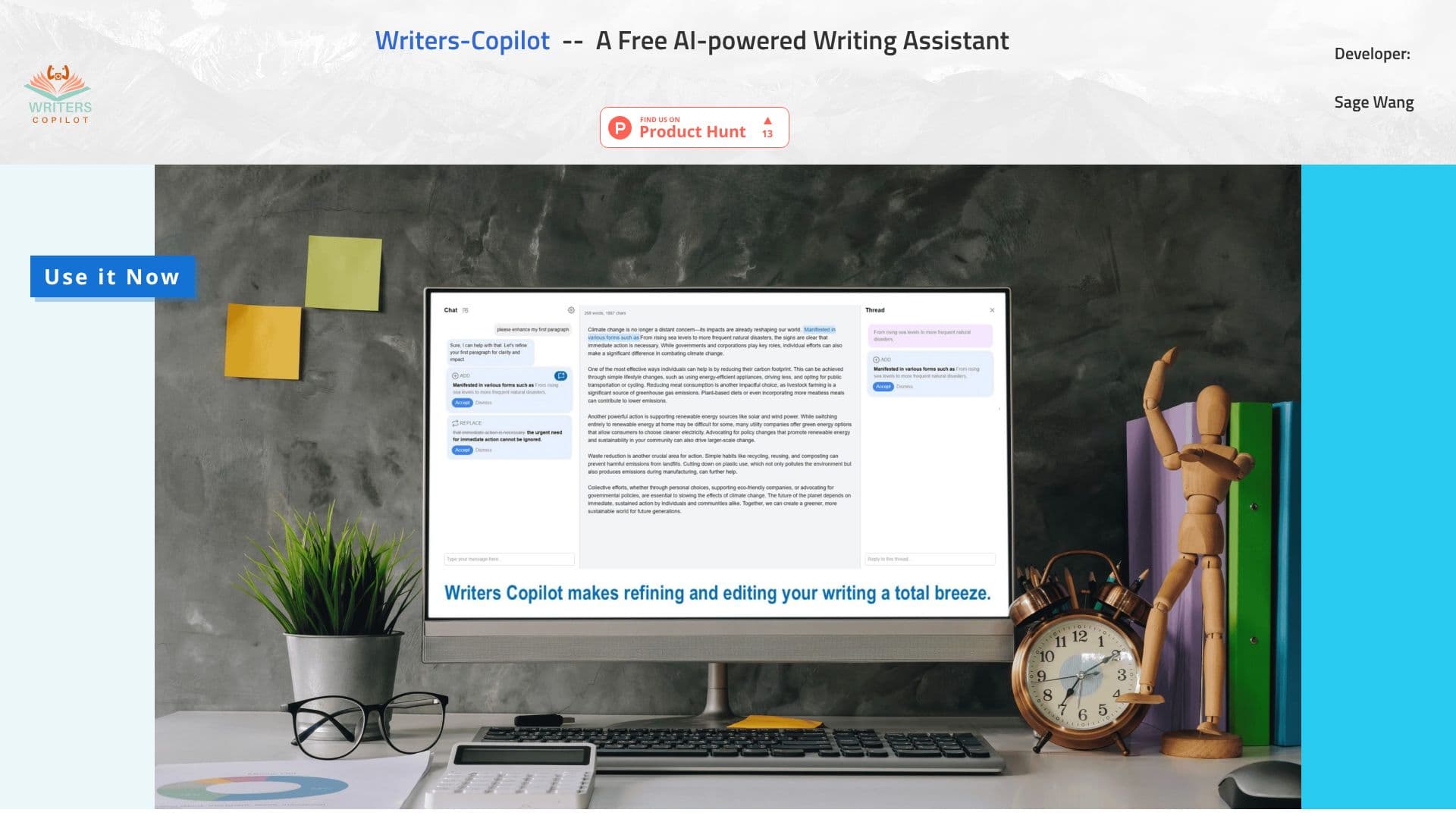
Writers-Copilot is an intuitive and user-friendly AI writing tool developed by Sage Wang. Its primary purpose is to provide constructive feedback, suggest improvements, and elevate the quality of your written content, making it truly sparkle. The tool is accessible via a direct "Use it Now" button, eliminating the need for any registration process.
Read More
The workflow is designed to be straightforward, comprising five easy steps. Users begin by clicking the "Use it Now" button to launch the application. Subsequently, they copy and paste their original content into the central content window. The core interaction happens in the chat window at the bottom left, where users can ask the AI to improve and edit their text. AI suggestions are previewed by hovering over light blue sections, allowing users to accept or reject proposed changes.
For more focused discussions on specific suggestions, users can initiate a new chat thread in the right pane by clicking the "Open" icon. This feature allows users to highlight sections of their draft and ask targeted questions, seek feedback, or request rewrites. A helpful tip is to click the gear icon to add custom instructions, such as word limits or specific writing style requirements, to the AI's memory, further tailoring the assistance.
Writers-Copilot aims to assist a broad range of users who engage in writing, from students and professionals to content creators. By leveraging AI, it democratizes access to advanced editing and revision capabilities, helping users communicate more effectively and polish their work with ease. The tool emphasizes a seamless user experience, ensuring that the process of improving writing is efficient and accessible to everyone.
- CategoryAI Writing Assistants
- Pricing ModelFree
- DeploymentWeb-based
- PlatformsWeb
Writers-Copilot's Core Features
AI-powered writing assistance
Provides feedback and suggestions
Intuitive and user-friendly interface
No registration required
Five-step usage process
In-app chat for editing requests
Preview and accept/reject suggestions
Focused chat threads for specific edits
Customizable AI instructions (e.g., word limit, style)
Free to use
How to use Writers-Copilot?
Launch App: Click the "Use it Now" button.
Input Content: Copy and paste your text into the middle window.
Request Edits: Use the chat window to ask the AI for improvements.
Review Suggestions: Hover over light blue sections to preview changes.
Apply Changes: Accept or reject proposed edits.
Focused Chat: Highlight text and open a new chat for specific feedback.
Customize AI: Click the gear icon to set custom instructions.
Writers-Copilot's Use Cases
- Content Editing
- Grammar Check
- Style Improvement
- Text Revision
- Draft Enhancement
- Customized Writing