
Description
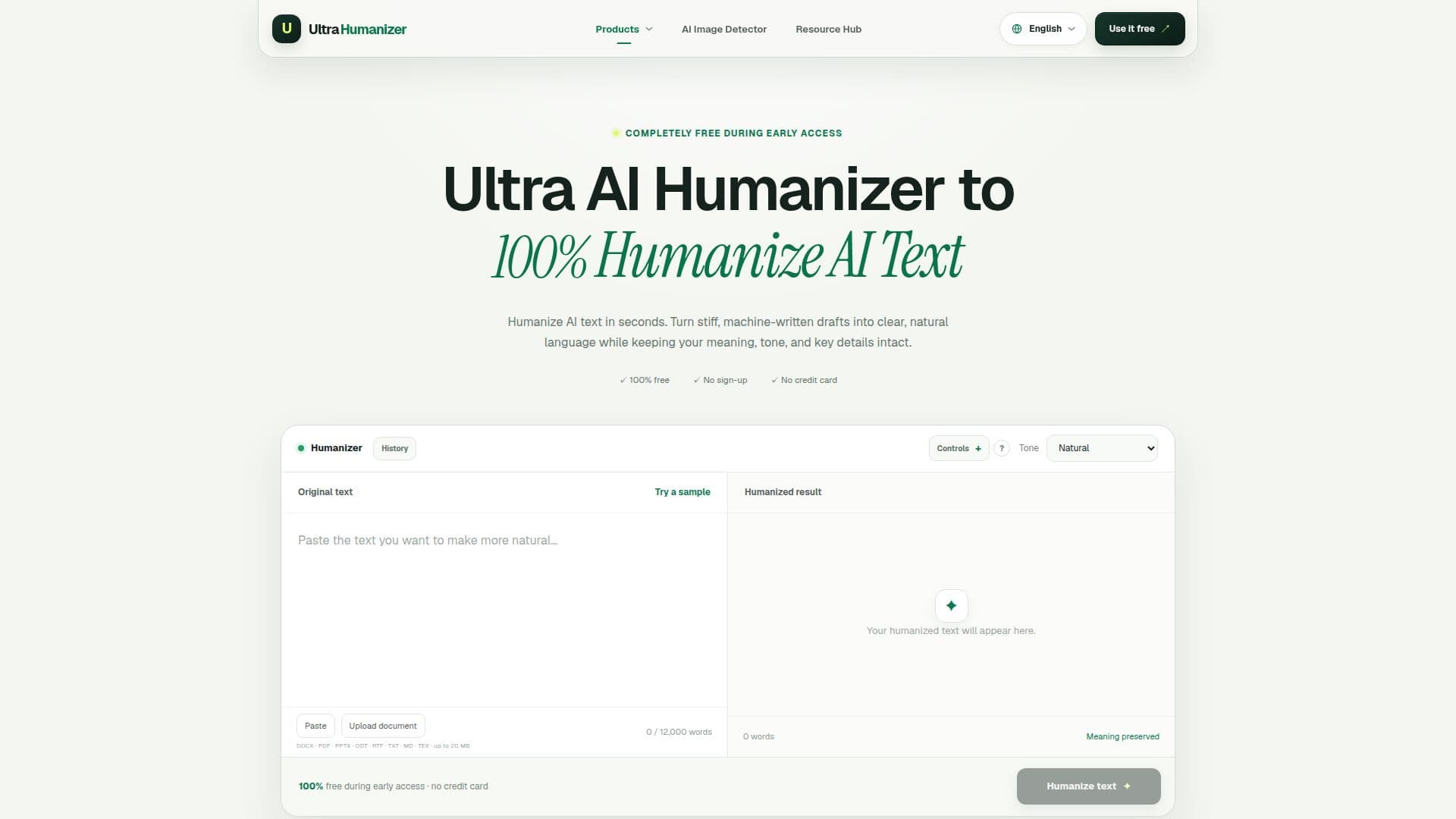
UltraHumanizer is a free AI humanizer designed to make AI-generated text sound more natural and human-like. It allows users to rewrite machine-assisted drafts to improve rhythm, clarity, transitions, and tone while preserving the central meaning. The tool is completely free during its early access phase, enabling users to humanize documents up to 12,000 words without entering payment details. Users can paste text directly or upload various document formats, including DOCX, PDF, PPTX, ODT, RTF, TXT, Markdown, and LaTeX, up to 20 MB.
Read More
UltraHumanizer offers different tone options such as natural, conversational, and professional, catering to various writing needs like blogs, reports, and emails. The tool is designed to preserve facts, context, and intent, although users are advised to review critical details before publishing. It does not guarantee bypassing AI detection systems, as these can misclassify both AI and human writing.
The tool supports multiple text types, including essays, study notes, reports, articles, emails, and scripts. It also provides a local English OCR for scanned PDFs. Users are advised to avoid submitting confidential information, as the tool does not store uploaded content. UltraHumanizer aims to make better writing accessible without requiring an account or a complicated setup, focusing on user feedback to improve the experience.
For support, users can contact UltraHumanizer via email. The tool is also complemented by a free AI image detector that assesses whether an image shows signs of AI generation, providing a likelihood result with practical context and honest limits.
- CategoryAI Humanizers
- Pricing ModelFree
- DeploymentWeb
- PlatformsWeb
UltraHumanizer's Core Features
Free AI text humanization
No sign-up required
Supports multiple document formats
Tone customization options
Preserves original meaning
12,000-word limit per document
Local English OCR for PDFs
Free AI image detection
How to use UltraHumanizer?
Paste or upload text: Choose a document format or paste text directly
Select tone: Choose from natural, conversational, or professional
Humanize text: Process the document to improve clarity and tone
Review output: Check for accuracy and make final edits
UltraHumanizer's Use Cases
- Essay refinement
- Report editing
- Email drafting
- Script polishing
- Article enhancement