
Description
Online Text to Speech with Emotions provides a powerful yet user-friendly platform for converting written text into spoken audio. Leveraging advanced AI, the tool generates natural-sounding English voiceovers, offering a wide selection of voices and the unique ability to infuse speech with various emotions. This capability allows users to create more engaging and contextually appropriate audio content.
Read More
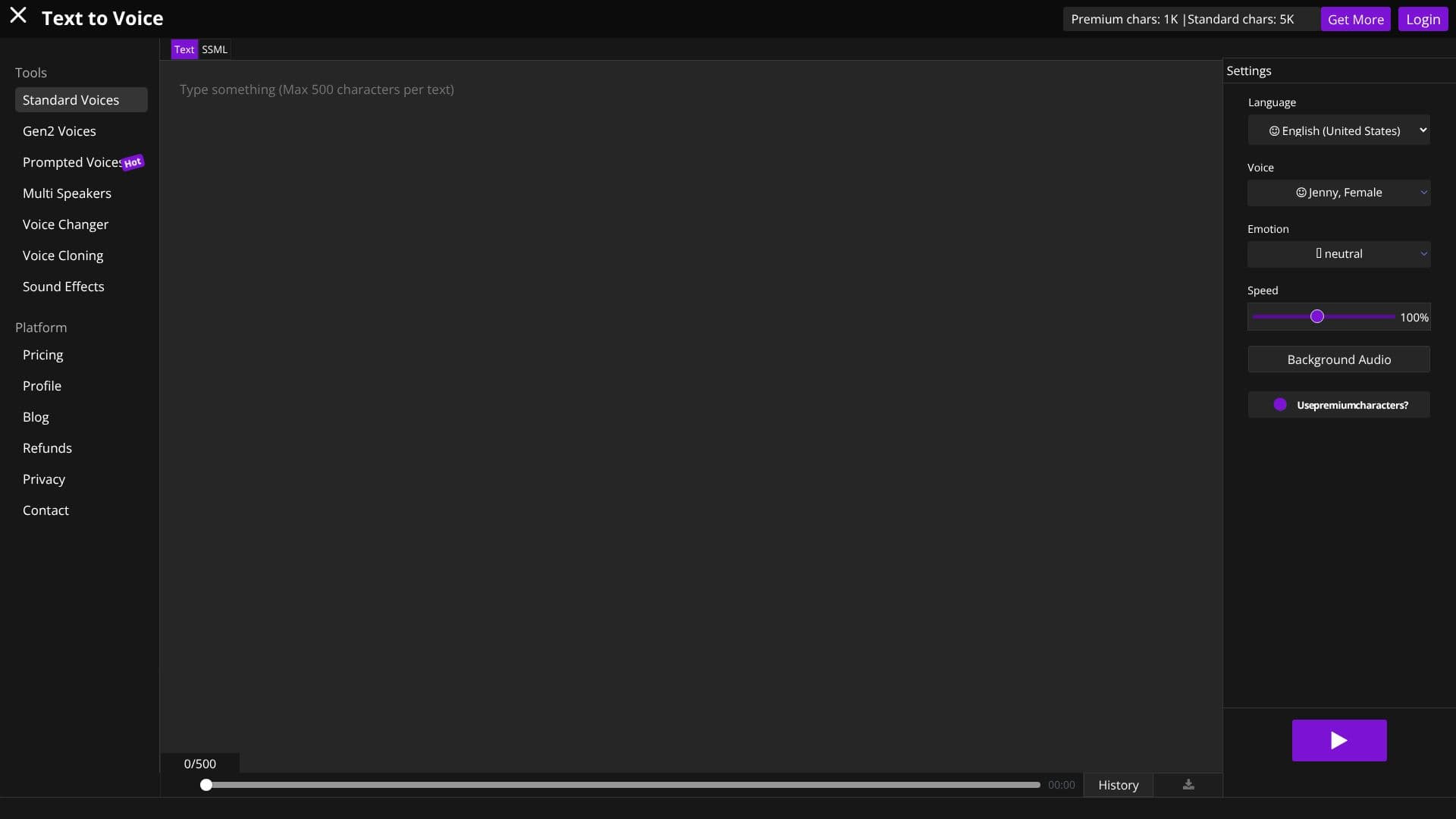
The platform supports a broad range of languages and voices, including standard, Gen2, and prompted voices. Users can select from numerous voice options, each with distinct characteristics. A key feature is the ability to apply emotions such as neutral, chat, customer service, newscast, angry, cheerful, sad, excited, friendly, terrified, shouting, unfriendly, whispering, and hopeful. This emotional range significantly enhances the expressiveness of the generated speech, making it suitable for diverse applications.
Users can customize the speech output by adjusting volume and speed. The tool also offers a premium voice option, which utilizes a more advanced algorithm for ultra-lifelike audio experiences. This premium feature requires premium characters, with a daily free allocation and options to purchase more. Similarly, voice emotions are available for premium users, requiring a higher character count.
The service is designed for ease of use. Users simply type their text, select language, voice, and desired emotion, then click play. The AI processes the request, and the resulting audio can be downloaded as an MP3 file. The platform emphasizes high audio quality, natural English voices, and fast conversion speeds, making it ideal for content creators on platforms like Instagram and TikTok.
Security is a priority, with random IDs used for file renaming and complex file paths to protect user data. Calculations are performed on the server side, ensuring a smooth and fast experience for the user without taxing their local machine. The tool is cross-platform, working seamlessly on both Mac OS and Windows.
- CategoryText to Speech
- Pricing ModelFreemium
- DeploymentCloud
- PlatformsWeb-based
Text to Voice's Core Features
AI-powered text-to-speech conversion
Supports multiple languages
Wide range of standard and advanced voices
Emotional speech customization (e.g., happy, sad, angry)
Adjustable speech speed and volume
Premium voice options for enhanced realism
Free MP3 downloads of generated audio
Cross-platform compatibility (Mac OS, Windows)
Secure file handling and deletion
Server-side processing for fast performance
SSML support for advanced text-to-speech control
Voice cloning capabilities
Sound effects library
How to use Text to Voice?
Input Text: Type or paste the text you want to convert into speech.
Select Voice & Emotion: Choose from a variety of voices and emotional styles.
Configure Settings: Adjust speed, volume, and background audio if applicable.
Generate Audio: Click the 'Play' button to process your text into speech.
Download Audio: Save your generated voiceover as an MP3 file with a single click.
Text to Voice's Use Cases
- Video Narration
- E-learning Content
- Presentations
- Audiobooks
- Podcast Intros/Outros
- Accessibility Tools
- Voice Assistants
- Marketing Materials