Description
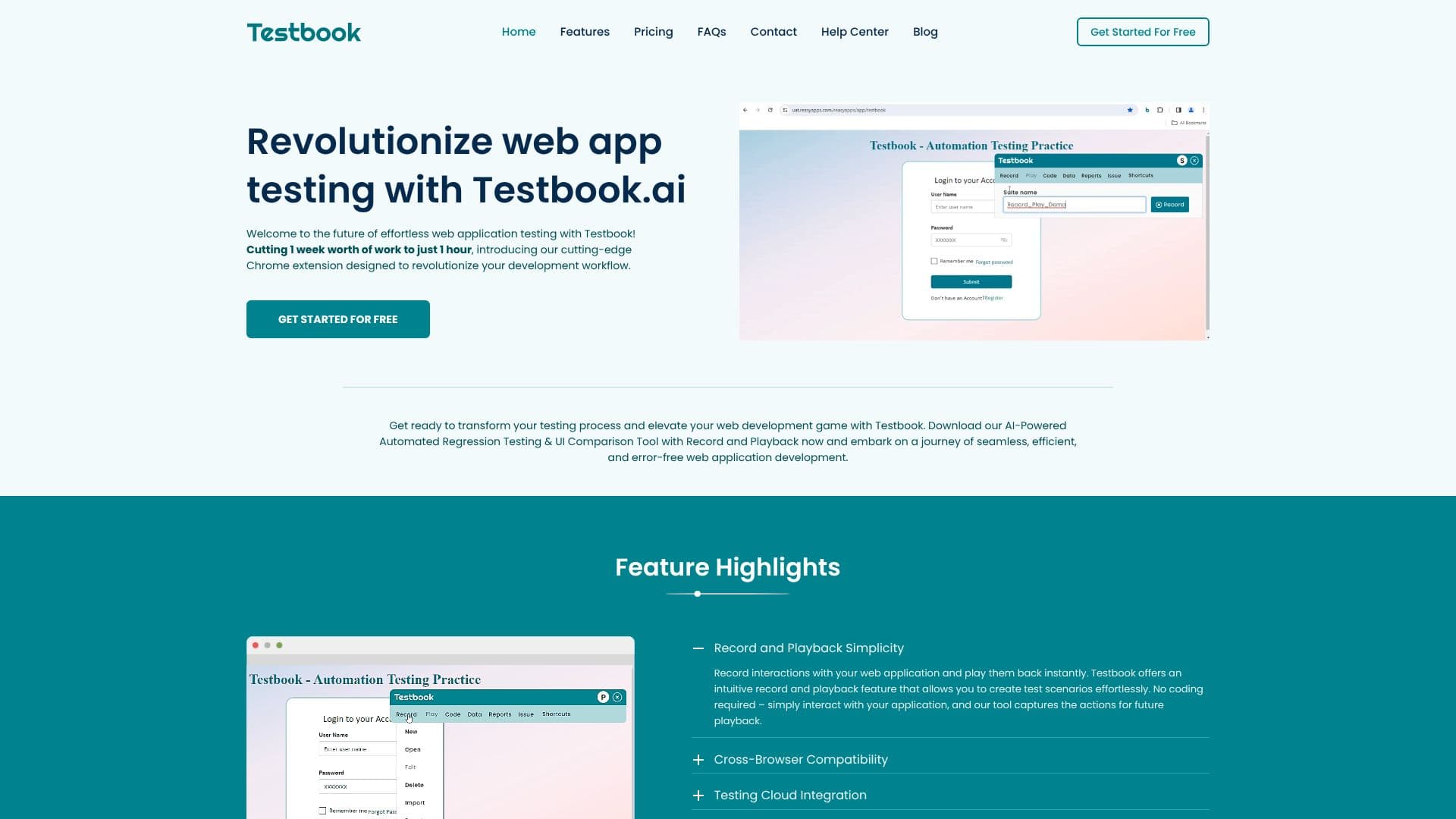
Testbook AI revolutionizes web application testing with its AI-powered, no-code Chrome extension. Designed to significantly reduce testing time, it transforms a week's worth of work into just one hour. The platform enables effortless web app regression testing, UI comparison, and hybrid testing, making it accessible to users without coding expertise.
Read More
At its core, Testbook AI features an intuitive record and playback functionality. Users can simply interact with their web application, and the tool captures these actions for instant playback, eliminating the need for manual scripting. This approach ensures cross-browser compatibility, allowing you to test with confidence across various browsers and platforms to deliver a consistent user experience.
Integration with popular testing clouds such as Saucelabs, BrowserStack, Testing Bot, and LambdaTest is seamless. By linking your account, you can run recorded tests on any platform, expanding your testing capabilities. The AI-powered UI testing intelligently detects visual discrepancies, enhancing accuracy and efficiency in identifying even subtle differences between expected and actual UI elements.
Testbook AI provides detailed reports and test history, offering in-depth insights into your test results and tracking progress over time. For added flexibility, recorded interactions can be exported as code snippets, and tests can be run in the background, allowing you to continue working uninterrupted. The self-healing feature ensures script stability even when element properties change, intelligently switching to alternate locators.
Key capabilities include comprehensive action automation for data entry, clicks, drag-and-drop, form submissions, and interactions with dynamic content. The Manual Stepper feature allows for hybrid testing by incorporating manual checks into automated scripts. SmartAI Observer tracks changes in text, colors, visibility, styles, and states, providing detailed comparison reports. Support for multi-window, multi-tab, iFrames, and Shadow DOM boundaries ensures robust testing in complex environments. Testmate, an AI-powered testing guide, offers instant answers and smart guidance for recording, playback, debugging, reports, and integrations. Jira integration streamlines bug tracking by allowing direct bug submission to Jira projects.
Testbook AI is ideal for developers, QA engineers, and teams looking to enhance their testing efficiency, reduce manual effort, and deliver high-quality web applications faster. Its user-friendly interface and powerful AI capabilities make it a valuable tool for modern web development workflows.
- CategoryAI Code Review & Testing
- Pricing ModelPremium
- DeploymentChrome Extension
- PlatformsWeb
Testbook AI's Core Features
AI-Powered Automated Regression Testing
No-Code UI Comparison Tool
Record and Playback Functionality
Cross-Browser Compatibility Testing
Seamless Testing Cloud Integration (Saucelabs, BrowserStack, Testing Bot, LambdaTest)
AI-Powered UI Testing for Visual Discrepancy Detection
Detailed Reports and Test History
Code Export for Recorded Interactions
Background Test Execution
Self-Healing Feature for Script Stability
Hybrid Testing with Manual Stepper
SmartAI Observer for Instant Change Detection
Multi-Window and Multi-Tab Support
iFrame and Shadow DOM Boundary Navigation
Jira Integration for Bug Tracking
How to use Testbook AI?
Install Chrome Extension: Download and install the Testbook AI Chrome extension from the Chrome Web Store.
Record Interactions: Open your web application and use the record feature to capture user interactions.
Configure Tests: Define test scenarios, including UI elements, actions, and expected outcomes.
Run Tests: Execute automated regression and UI comparison tests across different browsers and platforms.
Analyze Reports: Review detailed reports to identify visual discrepancies and functional issues.
Integrate and Export: Connect with testing clouds, export code snippets, and integrate with Jira for bug tracking.
Testbook AI's Use Cases
- Automated Regression Testing
- UI Comparison
- Cross-Browser Testing
- No-Code Test Creation
- Bug Tracking
- Efficiency Improvement
- Hybrid Testing