Description
Speech Meter is a pronunciation and accent-training tool. Users record themselves saying a phrase and get an instant, itemized score on how close their speech came to a native pronunciation.
Read More
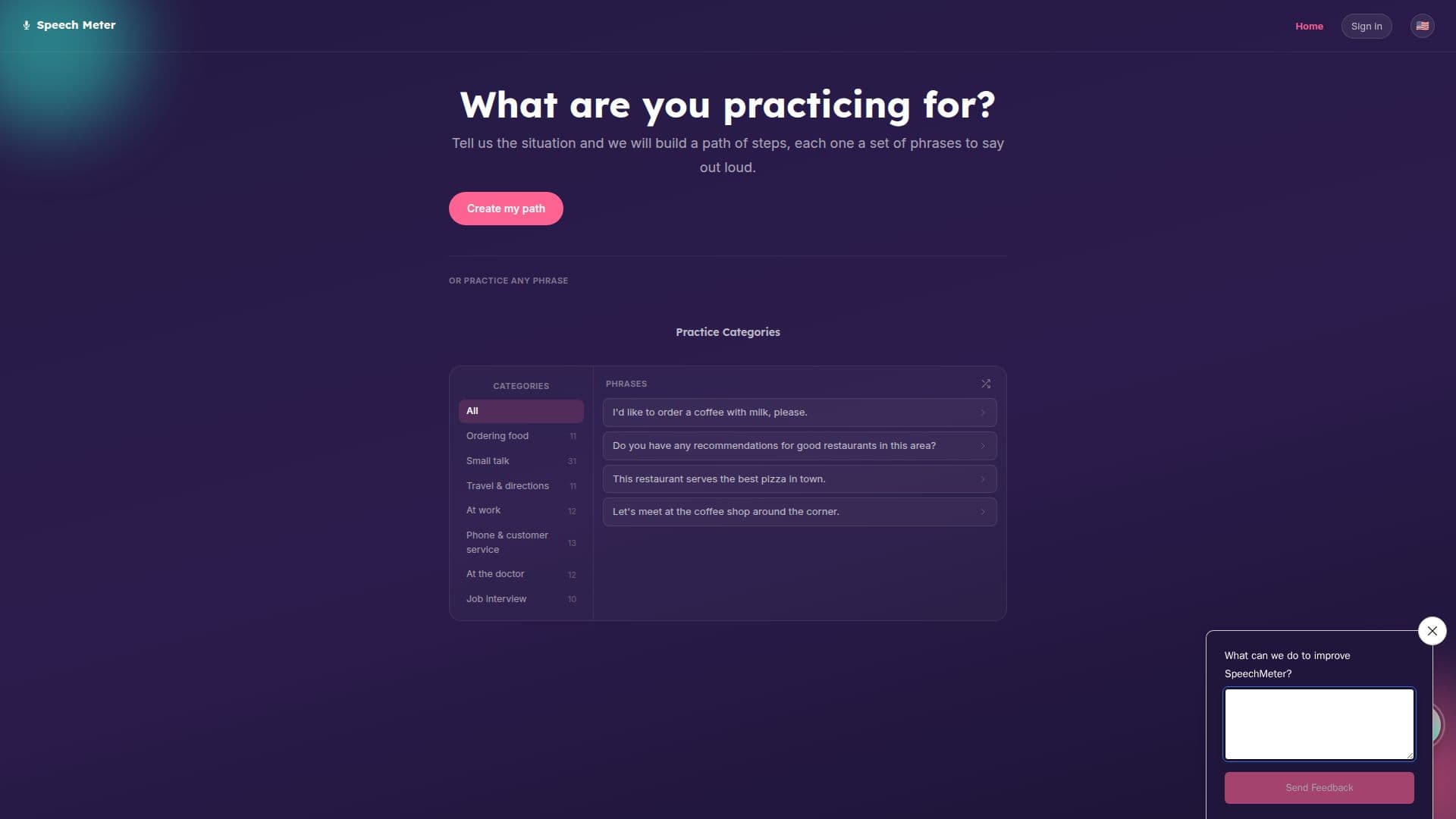
There are two ways to start a session: describe a real-world situation, such as a job interview or ordering food, and Speech Meter builds a path of short phrase-practice steps for it, or type and read any phrase directly, up to 250 characters, without picking a category first. Built-in categories cover ordering food, small talk, travel and directions, work situations, phone and customer service calls, doctor visits and job interviews, each holding a set of ready-made phrases so users can start practicing immediately instead of writing their own.
Every recorded attempt returns an overall score plus four component scores. Accuracy measures how closely each sound matched the expected pronunciation, word by word, with the lowest-scoring words underlined in the result. Fluency checks for pauses, hesitation and unnatural gaps between words. Completeness tracks how much of the phrase was actually said, catching skipped or swallowed words. Prosody scores stress, rhythm and intonation, comparing whether pitch rises and falls the way a native speaker's would; a listen button lets users hear the reference audio and copy its melody rather than just its words.
Speech Meter is aimed at language learners who want targeted, situation-specific pronunciation practice rather than general vocabulary drills. It's built by AE Studio and runs directly in the browser with no download required, and the site is available in several languages besides English, including Spanish, German, Portuguese, Chinese, Hindi, Arabic and Russian.
Because scoring depends on the microphone recording and the phrase text supplied, results can vary with background noise, accent variety and how clearly a phrase is read. The tool is built for repeated practice: users are expected to retry a phrase after checking which sounds or words scored lowest, rather than getting a single pass-or-fail judgment.
- CategoryLanguage Learning Apps
- Pricing ModelFree
- DeploymentCloud
- PlatformsWeb
Speech Meter's Core Features
Records spoken phrases and scores pronunciation automatically
Overall score plus four component scores: accuracy, fluency, completeness and prosody
Per-word accuracy feedback with the lowest-scoring words underlined
Custom practice paths built from a described real-world situation
Seven built-in categories: ordering food, small talk, travel, work, phone calls, doctor visits and job interviews
Free-text phrase practice for any sentence up to 250 characters
Listen button for reference pronunciation to compare rhythm and intonation
Available in multiple languages including Spanish, German, Portuguese, Chinese, Hindi, Arabic and Russian
How to use Speech Meter?
Pick a starting point: Describe a situation you're practicing for, or type any phrase directly.
Follow your path: Work through the set of phrases Speech Meter builds for your situation.
Record yourself: Say each phrase out loud into your microphone.
Check your score: Review your overall score and the four component scores for that attempt.
Fix weak spots: Reread the underlined words and use the listen button to hear the target pronunciation.
Practice again: Retry the phrase to see your score improve.
Speech Meter's Use Cases
- Job interview prep
- Travel phrase practice
- Workplace English practice
- Accent reduction drills