Description
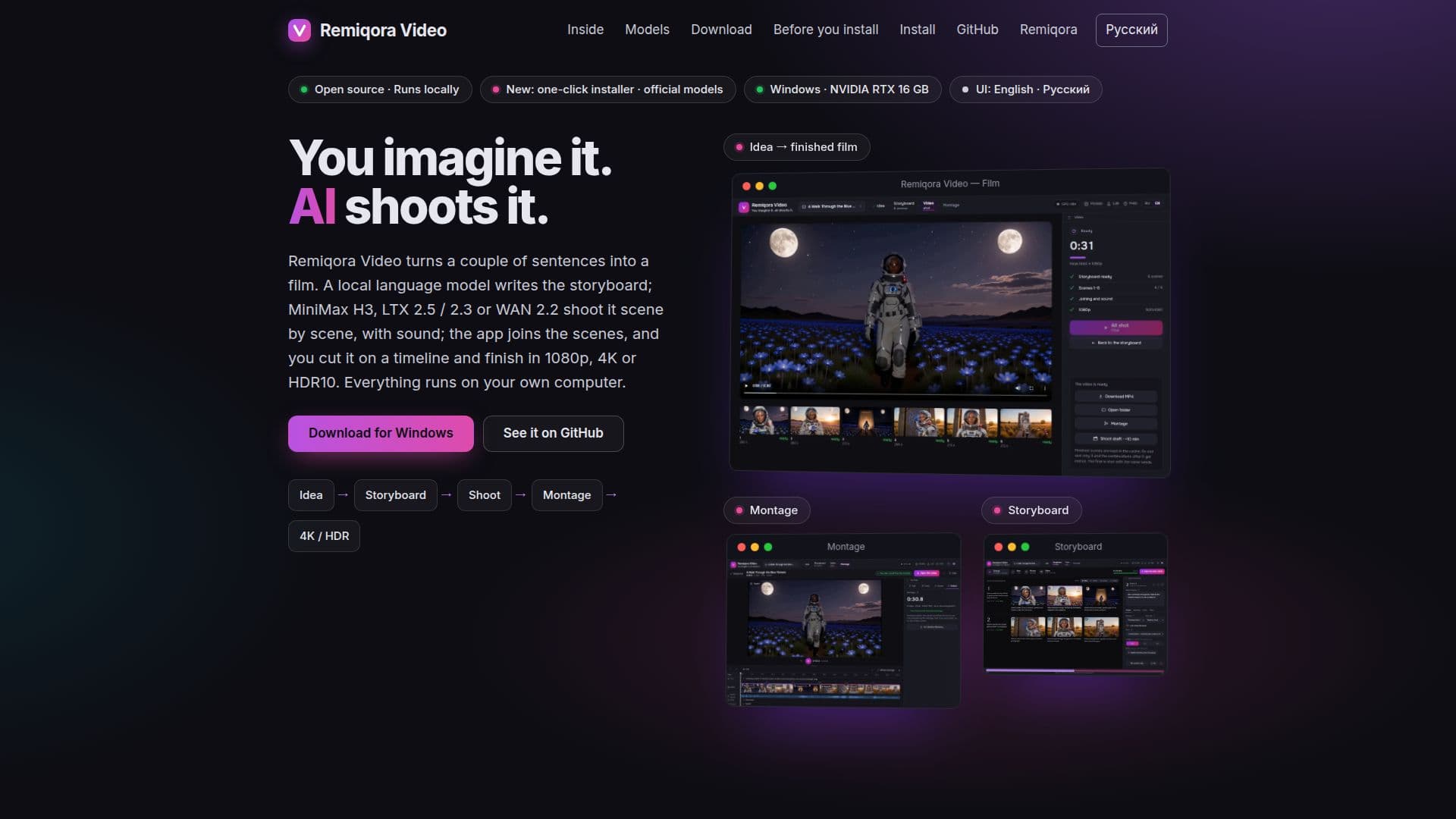
Remiqora Video is a powerful, open-source AI video studio designed to run entirely on your local hardware, specifically Windows 11 with an NVIDIA RTX card featuring at least 16 GB of video memory. This application allows users to turn a few sentences or an idea into a complete film, managing the entire production workflow from concept to final export.
Read More
The process begins with an "Idea" screen where users input a couple of sentences, optionally add a photo, choose a video model, set the video length (15 seconds to 10 minutes), frame aspect ratio (16:9, 9:16, 1:1), and define characters. A local language model, such as Gemma 4 E4B on llama.cpp, then generates a detailed "Storyboard" with scene cards on a timeline. Users can customize each scene with different models, lengths, frames, and LoRAs, or rewrite prompts as needed. The writer supports 17 languages for input, while video model prompts are always in English.
The "Film" stage involves shooting scenes in chains, where each subsequent scene starts from the last frame of the previous one. Remiqora Video supports various video models like MiniMax H3 (for faces and acting, up to 15s), LTX 2.5 (fast scenes with sound, up to 10s), LTX 2.3 (for music videos with singing heroes, up to 10s), and WAN 2.2 5B (picture only, up to 5s). Krea 2 is also integrated for generating first frames or character images. The output can be 1080p, 4K with NVIDIA RTX Video, HDR10, or 48 fps.
For post-production, the "Montage" feature provides tools for trimming, splitting, speed adjustments (0.5–2x), transitions (flash, dissolve, dip to black), sound lanes, and a beat magnet. Users can apply a single color grade or their own LUTs and export the timeline to DaVinci Resolve as FCPXML. A unique "Music video from a song" feature automatically splits a song into bars, transcribes lyrics with Whisper, and cuts scenes to match the beat, with LTX 2.3 capable of singing its part of the track. Advanced users can utilize the "Graph" canvas with 18 node types for complex scenarios beyond a linear storyboard, including multiple endings or integrating images from Krea 2. The "Lab" allows for manual scene creation and comparison across models. The application is open source under GPL-3.0, requires no account, and operates offline after initial model downloads, making electricity the only cost.
- CategoryAI Video Generators
- Pricing ModelFree
- DeploymentLocal
- PlatformsWindows
Remiqora Video's Core Features
Local AI video studio on your own GPU
Open-source under GPL-3.0
No account or limits required
Offline operation after initial downloads
Idea-to-film workflow
Local language model for storyboard generation
Multiple video models (MiniMax H3, LTX 2.5/2.3, WAN 2.2)
Sound and spoken lines in videos
Montage editor with trim, split, speed, transitions
Music video creation from songs with lyric transcription
Node graph for complex scene flows
4K, HDR10, and 48 fps output options
Support for custom LoRA and model files
Built-in help and documentation in English and Russian
One-click installer for Windows
How to use Remiqora Video?
Install Remiqora Video: Download and run the one-click installer for Windows, which checks hardware and downloads necessary models.
Define your idea: Input a few sentences describing your video concept, optionally add a photo, and set basic parameters like length and aspect ratio.
Generate storyboard: Let the local language model create a scene-by-scene storyboard based on your idea, which you can then edit and refine.
Shoot scenes: The AI video models will generate video scenes according to the storyboard, with options for sound and specific model characteristics.
Edit and montage: Use the built-in montage tools to trim, split, adjust speed, add transitions, and manage sound lanes.
Finalize and export: Finish your video in 1080p, 4K, or HDR10, and export it for publishing or further editing in tools like DaVinci Resolve.
Remiqora Video's Use Cases
- Automated Video Production
- Music Video Creation
- Experimental Film Making
- Local Content Creation
- Rapid Prototyping
- Personalized Video Content