Description
Raphael AI is a free AI image generator powered by an intelligent multi-model routing system that automatically picks the best model for each prompt. Users can create high-quality images from text descriptions directly in the browser with no registration and no generation count limits in the basic mode. Signed-in users get truly unlimited free generations in basic mode, waiting only briefly in a short queue, and can use free daily credits to skip the queue or unlock higher-resolution models.
Read More
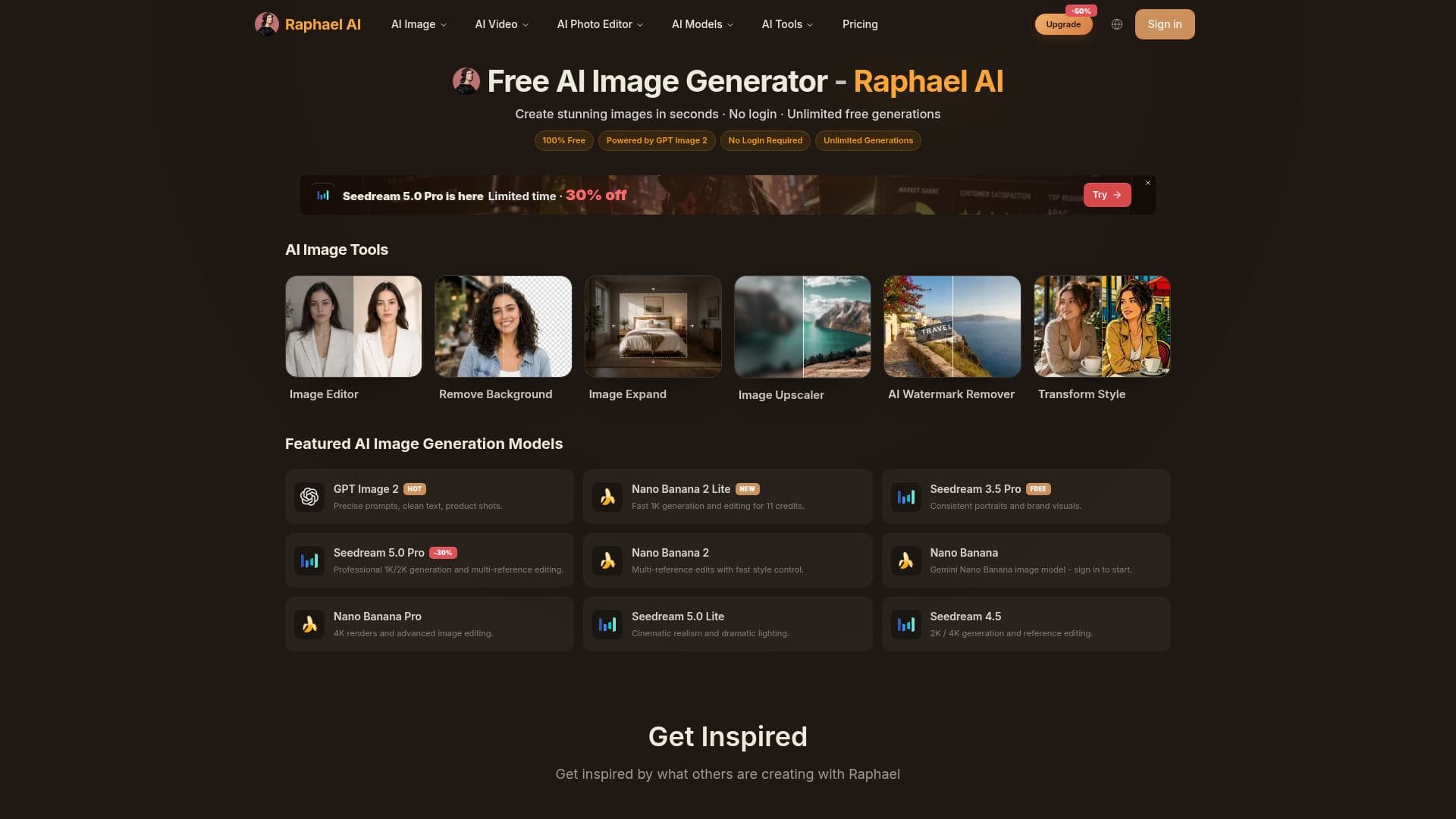
The platform routes prompts across a range of leading image models, including Nano Banana, Nano Banana Pro, Nano Banana 2, GPT Image 2, and multiple Seedream versions up to 5.0 Pro, plus video models such as Seedance, Veo 3.1, and Kling. It supports photorealistic scenes, artistic illustrations, digital art, anime styles, accurate text rendering, and text overlays, and can generate up to four images per prompt with the free Basic model returning results in around 8 seconds.
Beyond generation, Raphael AI includes image tools such as an image editor, background remover, image expand, image upscaler, watermark remover, and style transfer. It emphasizes privacy with a minimal data-collection approach: guest requests are processed temporarily and not saved, while signed-in users retain only what is needed for account features, history, and security, and prompts and images are never sold.
Raphael AI is free to start, with free outputs including a watermark. Paid plans (Pro, Ultimate, and Max) add monthly credits, faster and higher-priority generation, watermark removal, higher-resolution models, batch upscaling, and commercial-use rights. Users own the rights to the images they generate.
- CategoryAI Image Generators
- Pricing ModelFreemium
- DeploymentCloud
- PlatformsWeb
Raphael AI's Core Features
Intelligent multi-model router that selects the best model per prompt
Unlimited free basic-mode generations with no registration
Top image models including Nano Banana and Seedream
Fast generation, around 8 seconds, up to 4 images per prompt
Image tools: editor, background remover, upscaler, and expand
Accurate text understanding and in-image text
Privacy-focused with minimal data collection
Commercial-use rights and image ownership on paid plans
How to use Raphael AI?
Open the site: Visit raphael.app and start immediately, no account needed.
Write a prompt: Describe the image you want, including style and details.
Choose a model: Use the default Basic model or sign in for higher-resolution options.
Generate: Create up to four images per prompt in seconds.
Edit or download: Refine with the image tools, then download your result.
Raphael AI's Use Cases
- Free AI art
- Product and brand visuals
- Multi-style creation
- Image editing
- Commercial content