
Description
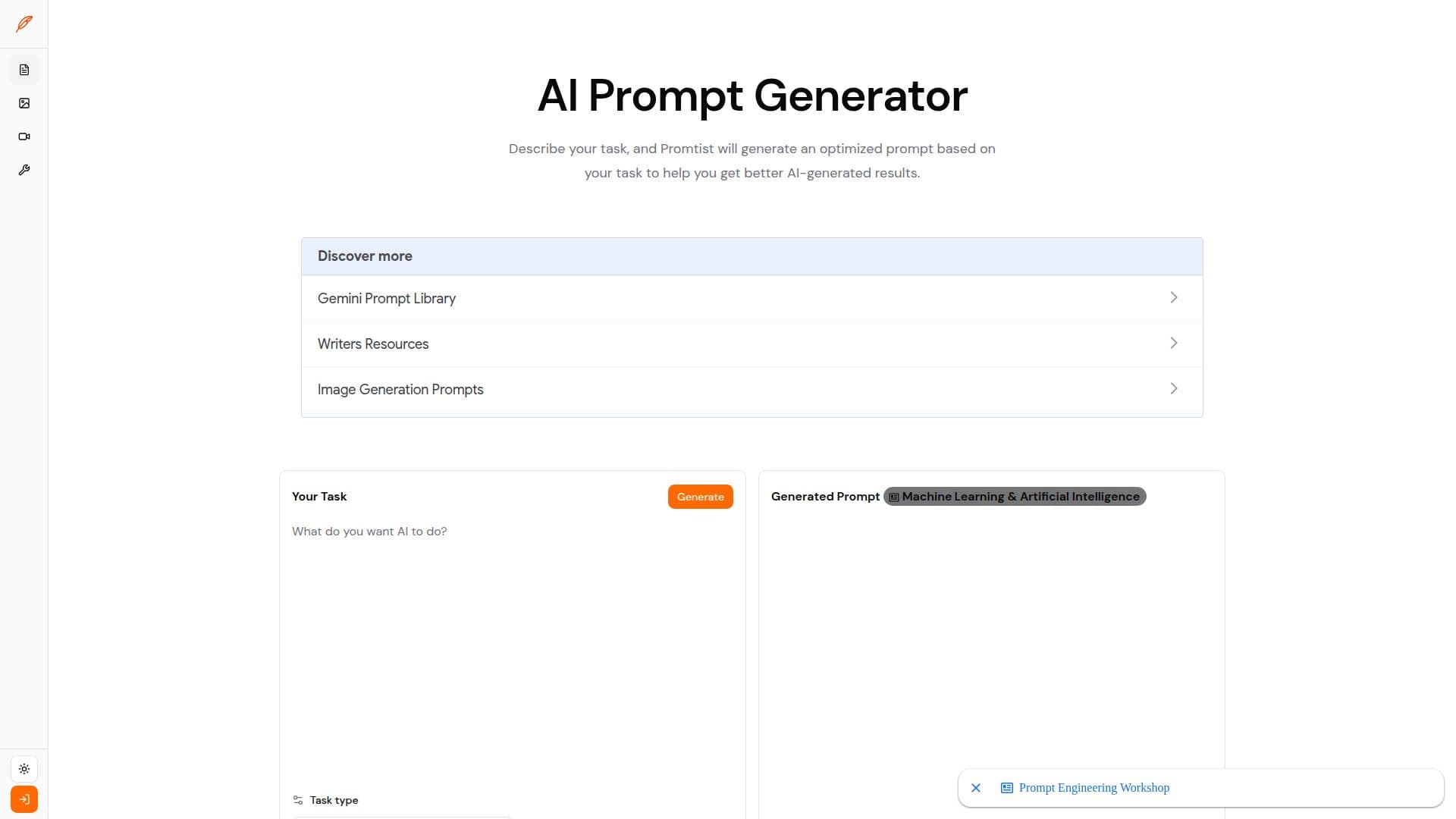
Promtist is an AI prompt generator that helps users get better AI results by turning a short task description into a clear, optimized prompt. Users describe what they want, choose a task type such as writing, research, planning, or coding, and Promtist generates a structured prompt draft they can edit, save, or paste into ChatGPT, Claude, Gemini, and other AI tools.
Read More
The tool uses task-specific prompt generation, producing prompts that include elements like a role, goal, context, requirements, output format, and review criteria so the model has enough context and constraints to answer well. It is aimed at everyday knowledge work, creative work, and repeatable team workflows across writing, research, planning, coding, and business communication.
Promtist also functions as a prompt management system. It provides prompt version control so users can revert and compare versions, prompt comparison across different models to help pick the best result, and organization through categories and tags. Prompt variables let users reuse the same template across different tasks, and a browser extension lets users apply Promtist prompts directly in web-based AI services like ChatGPT, Gemini, and Claude.
The platform offers a certain number of free prompt generation attempts, and generated prompts can be edited in the output panel, copied, or saved to a prompt library for reuse and sharing.
- CategoryPrompt Engineering Tools
- Pricing ModelFreemium
- DeploymentCloud, Browser extension
- PlatformsWeb
Promtist's Core Features
Task-specific AI prompt generation from a short description
Structured prompts with role, goal, context, requirements, and output format
Prompt version control to revert and compare versions
Prompt comparison across different AI models
Category and tag management for organizing prompts
Prompt variables for reusable templates
Browser extension for use in ChatGPT, Gemini, and Claude
Editable output that can be copied or saved to a library
How to use Promtist?
Describe your task: Enter what you want the AI to do.
Choose a task type: Pick the type that best matches your work, such as writing, research, planning, or coding.
Generate: Click generate and Promtist creates a prompt draft based on your task.
Copy and use: Copy the generated prompt and use it with your preferred AI model.
Save and reuse: Edit the prompt, then save it to your library with categories, tags, and versions.
Promtist's Use Cases
- Writing and editing
- Research and analysis
- Coding support
- Reusable workflows