Description
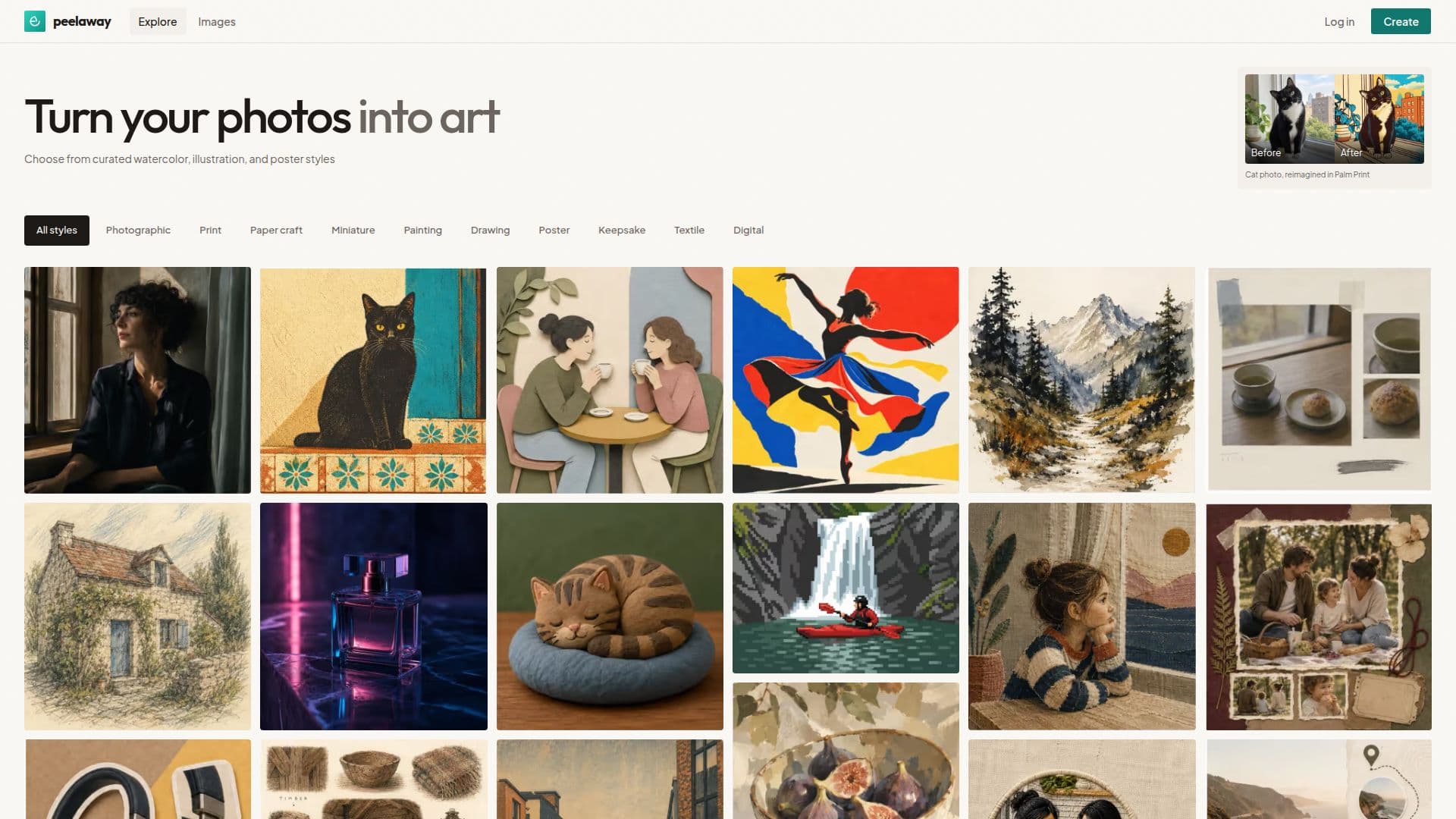
Peelaway is a photo-to-art generator. Upload a photo, describe an idea, or combine both, and it renders the result in one of dozens of curated styles, from watercolor portraits and paper craft to poster prints and pixel art. The main product is a gallery-first tool aimed at anyone who wants a polished piece of art from a personal photo without learning an editing app or writing a detailed prompt.
Read More
Looks is the core feature: browse a style gallery of dozens of options, organized into collections such as painting, drawing, poster, paper craft, miniature, keepsake, textile and digital, and apply one to a photo or a described idea. Moments extends the same idea to short clips: it turns a single photo into a brief animated clip with sound, organized around themes like family, pets, milestones, travel and portraits.
Beyond the consumer gallery, Peelaway ships tools aimed at other audiences. Fashion Shot turns one or two clothing photos into a small product-image set, a styled flat lay, a transparent product view and an on-model concept, aimed at sellers on marketplaces like Shopify, Etsy, eBay and Amazon. An Image API accepts base64-encoded images with a plain-language editing instruction and returns a signed result asynchronously, supporting object removal, background removal and generative edits. An MCP server lets compatible AI assistants such as Claude Code, Cursor and Gemini CLI submit and track image edits directly from a conversation. The site also hosts a set of free browser-based utilities for resizing, cropping, compressing and converting images.
New accounts get starter credits to try the gallery before paying, and free creations carry a small watermark. Paid plans share one credit balance across styles, Moments clips and tools: a Starter plan runs about $10 a month for 20 images or one clip, a Plus plan around $30 a month for 200 images or 10 clips with full HD Moments up to 10 seconds, and a Pro plan near $100 a month for 1,000 images or 50 clips. All paid plans remove the watermark.
Peelaway suits individual creators who want quick, styled art from their own photos, sellers who need clean product images without a photoshoot, and developers who want to add image editing to their own product through the API or MCP server.
- CategoryImage Generation & Editing
- Pricing ModelFreemium
- DeploymentCloud
- PlatformsWeb
Peelaway's Core Features
Looks gallery with dozens of curated art styles (watercolor, illustration, poster, paper craft, and more)
Moments turns a single photo into a short animated clip with sound
Fashion Shot builds a flat lay, transparent product view and on-model concept from clothing photos
Asynchronous Image API for object removal, background removal and prompt-driven edits
MCP server for editing images from AI assistants like Claude Code, Cursor and Gemini CLI
Free browser tools for resizing, cropping, compressing and converting images
Shared credit balance across styles, Moments clips and tools on every paid plan
No-watermark output on every paid plan; new accounts start with free trial credits
How to use Peelaway?
Start a creation: sign up and use starter credits to try the gallery for free.
Choose a photo or idea: upload a photo, describe an idea, or combine both.
Pick a style: browse Looks collections and apply a style to render the artwork.
Try Moments: turn a favorite photo into a short clip with sound and motion.
For products: open Fashion Shot to turn clothing photos into a listing-ready image set.
For integrations: connect through the Image API or MCP server to edit images from your own app or AI assistant.
Peelaway's Use Cases
- Photo-to-art styling
- Photo-to-clip animation
- E-commerce product photography
- Image editing integration
- AI-assistant image editing