
Description
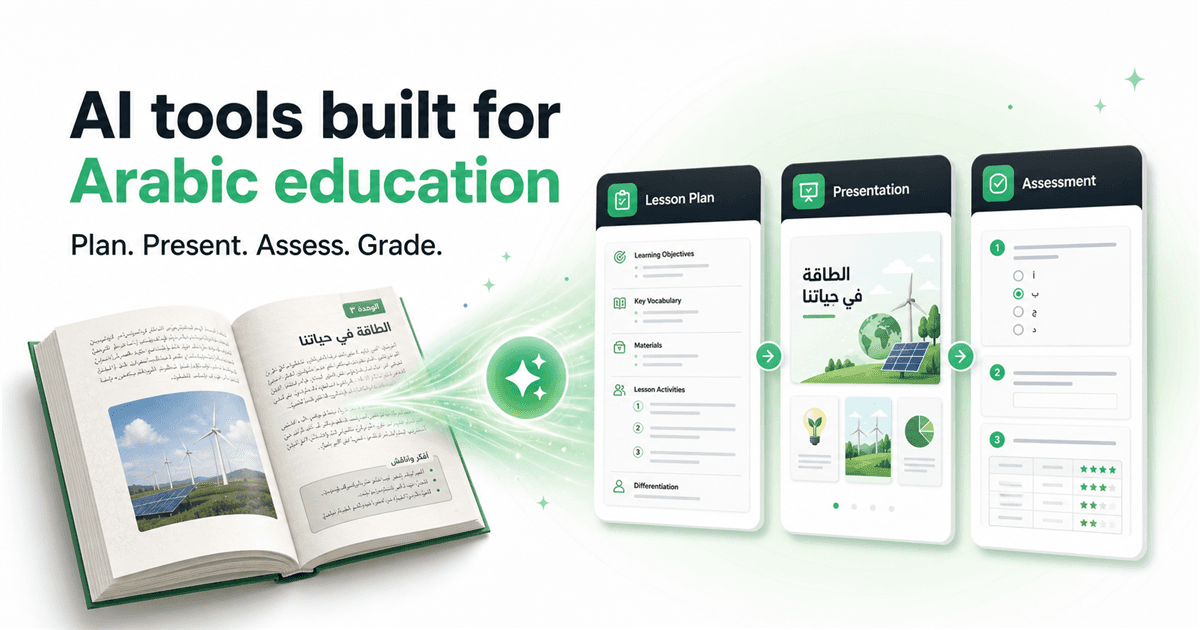
Motqn is an AI-driven platform tailored for educators, aiming to simplify and enhance the teaching process. It allows teachers to transform textbooks into comprehensive lesson plans, presentations, and graded assessments within minutes. The platform supports both Arabic and English, making it versatile for diverse educational environments.
Read More
One of the standout features of Motqn is its ability to generate interactive presentations and exams directly from textbook content. Teachers can upload textbooks in PDF format, and Motqn will create structured lesson plans that align with the curriculum. This feature ensures that all educational materials are consistent and professional, saving teachers hours of preparation time.
Motqn also offers automated grading capabilities, providing suggested scores and detailed feedback for each question. This feature helps maintain grading consistency while allowing teachers to retain control over final grades. Additionally, the platform includes a voice assistant, Tabshoura Plus, which facilitates lesson preparation through voice commands, enabling teachers to build materials interactively.
The platform is designed with privacy in mind, adhering to GDPR standards to protect student data. It offers various pricing plans, including a free tier, allowing educators to start with basic features and upgrade as needed. Motqn is suitable for individual teachers and educational institutions, providing centralized oversight and role-based access for schools.
Overall, Motqn aims to give teachers more time to focus on teaching by automating repetitive tasks and providing tools that enhance the learning experience for students.
- CategoryAI Course Creators
- Pricing ModelFreemium
- DeploymentCloud
- PlatformsWeb
Motqn's Core Features
AI lesson planning from textbooks
Interactive presentation generation
Automated grading with explanations
GDPR-aligned data protection
Voice assistant for lesson preparation
Curriculum-aligned educational games
Export to Word, PDF, PowerPoint, CSV
Centralized oversight for schools
How to use Motqn?
Upload textbook: Start by uploading your textbook in PDF format.
Generate materials: Use Motqn to create lesson plans and presentations.
Automate grading: Upload answer sheets for automated grading.
Use voice assistant: Engage with Tabshoura Plus for interactive lesson building.
Motqn's Use Cases
- Lesson Planning
- Interactive Presentations
- Automated Grading
- Voice-Assisted Teaching
- Curriculum Alignment