Description
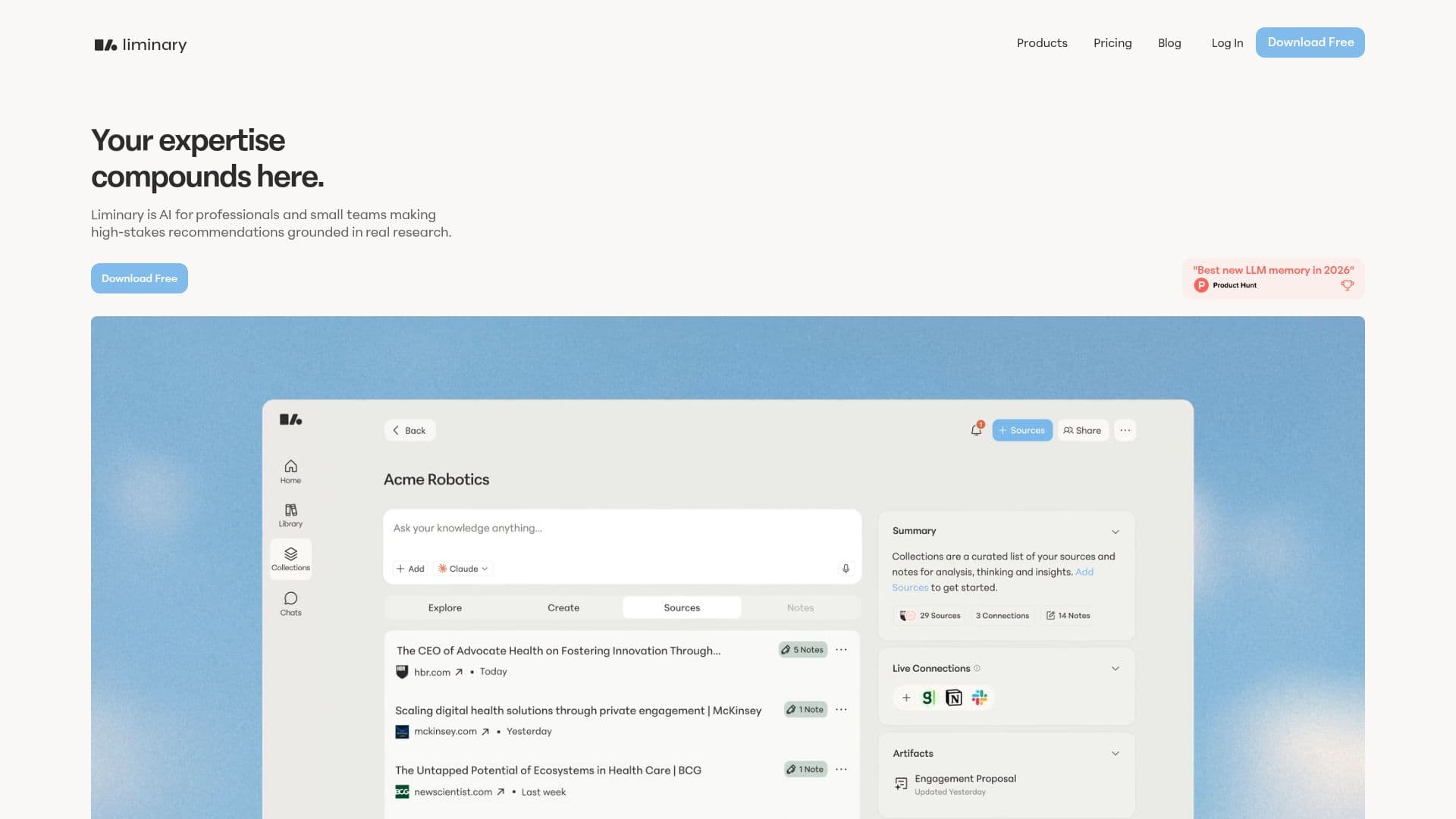
Liminary is an AI-native storage and memory tool built for professionals who think for a living. It lets you save articles, reports, PDFs, AI chats, and videos with one click while you browse, add your own notes and context as you read, and set up watchlists that keep monitoring for new information. Rather than making you search, Liminary proactively surfaces relevant saved knowledge at the moment you need it.
Read More
Every answer traces back to a source, whether from your own data or the external web, and each source is one click away. Liminary reports being 3.4 times more accurate than ChatGPT at retrieving the right answer across internal and external sources. It also includes fact-checking and gap detection, so you can verify claims against your own material and spot what is missing before anyone else notices.
Beyond capture and recall, Liminary works inside the tools you already use. Its Magnet meeting assistant recalls relevant knowledge in real time during meetings and saves the summary, transcript, and notes for later. It can draft and edit emails in Gmail from chat, and run fact-check and gap detection directly in Notion.
Built by former Dropbox security, machine learning, and search engineers, Liminary keeps your work confidential. Data is encrypted, siloed to your workspace, and never used to train AI models, with sensitive-data redaction on arrival and customer-controlled deletion. It is available as a Chrome and Firefox extension, with MCP connectors to link agents such as Claude.
- CategoryAI Knowledge Management
- Pricing ModelFreemium
- DeploymentCloud, Browser extension
- PlatformsWeb, Chrome
Liminary's Core Features
One-click saving of articles, PDFs, AI chats, and videos
Proactive recall that surfaces relevant knowledge as you work
Source-cited answers from your data or the external web
Fact-checking and gap detection, including inside Notion
Magnet live meeting assistant with transcripts and notes
Email drafting and editing in Gmail from chat
Watchlists that monitor for new information
MCP connectors for agents, with encrypted, workspace-siloed data
How to use Liminary?
Install: Add the Liminary Chrome or Firefox extension.
Save: Capture articles, PDFs, AI chats, and videos with one click, adding your own notes.
Set watchlists: Track a client or project so Liminary monitors for new information.
Recall: Ask questions across everything you have saved and let it resurface relevant material.
Create: Fact-check, detect gaps, and draft deliverables with cited sources.
Liminary's Use Cases
- Consulting and client work
- Research and analysis
- Meeting support
- Writing with confidence
- Agent memory