Description
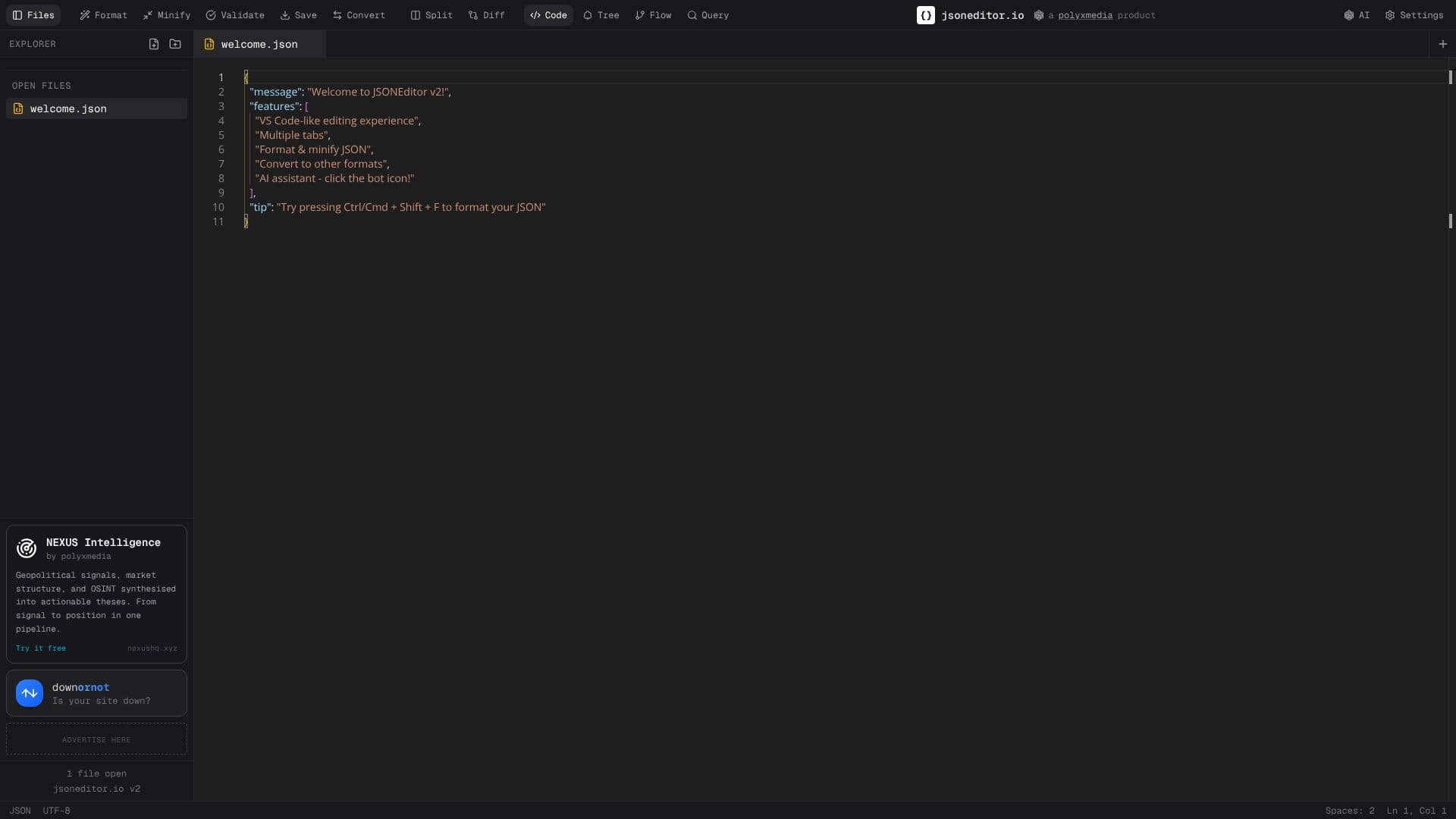
JSON Editor Online provides a robust, free, browser-based platform for developers to work with JSON data. It emulates the familiar VS Code editing experience, making it intuitive for users accustomed to modern development environments. The tool is designed for efficiency, offering features to format, validate, and minify JSON data instantly.
Read More
Beyond basic editing, JSON Editor Online excels in data transformation. It can seamlessly convert JSON to other popular formats such as YAML, CSV, and TypeScript, streamlining workflows for data analysis and API integration. A key differentiator is its AI-powered assistance, which can help generate, modify, and fix JSON objects on the fly, offering advanced capabilities for complex tasks.
Privacy and security are paramount, with all processing occurring locally within the user's browser. This client-side execution means no data is ever uploaded to a server, ensuring complete confidentiality for sensitive information. The editor supports large files up to 512MB and offers multiple viewing modes, including text, tree, and table, catering to diverse user preferences and needs.
Developers can leverage JSON Editor Online for a variety of tasks, including formatting API responses, validating JSON schemas, converting data formats, and debugging JSON payloads. Data analysts can convert JSON to CSV for spreadsheet analysis, while DevOps engineers can use it for managing configuration files in YAML. The tool's multi-tab workspace further enhances productivity by allowing users to manage multiple files simultaneously.
Key features include offline support, automatic JSON repair, side-by-side comparison of JSON documents, and the ability to create sharable links for collaboration. The platform is free to use with no signup required, offering a comprehensive solution for anyone working with JSON data.
- CategoryCoding & Development
- Pricing ModelFree
- DeploymentCloud
- PlatformsWeb
JSON Editor Online's Core Features
VS Code-like editing experience
Format, validate, and minify JSON
Convert JSON to YAML, CSV, and TypeScript
AI-powered JSON assistance
Local browser processing for privacy
Supports large JSON files (up to 512MB)
Multiple editing modes: text, tree, table
Automatic JSON error detection and repair
Compare JSON documents side-by-side
Multi-tab workspace for managing multiple files
Offline JSON editor support
JSON Schema validation
YAML and XML support
Sharable links for collaboration
How to use JSON Editor Online?
Open JSON file: Load your JSON file directly into the editor.
Edit JSON data: Use the VS Code-like interface to modify your JSON.
Format and validate: Click 'Format' or observe automatic validation for syntax errors.
Transform data: Use the 'Convert' option to change JSON to YAML, CSV, or TypeScript.
Utilize AI assistant: Click the bot icon for AI-powered JSON generation or modification.
Save or share: Save your edited JSON locally or generate a sharable link.
JSON Editor Online's Use Cases
- Format JSON
- Validate JSON
- Convert JSON
- Edit JSON
- Repair JSON
- Compare JSON
- AI JSON Assistance
- Process Large Files