Description
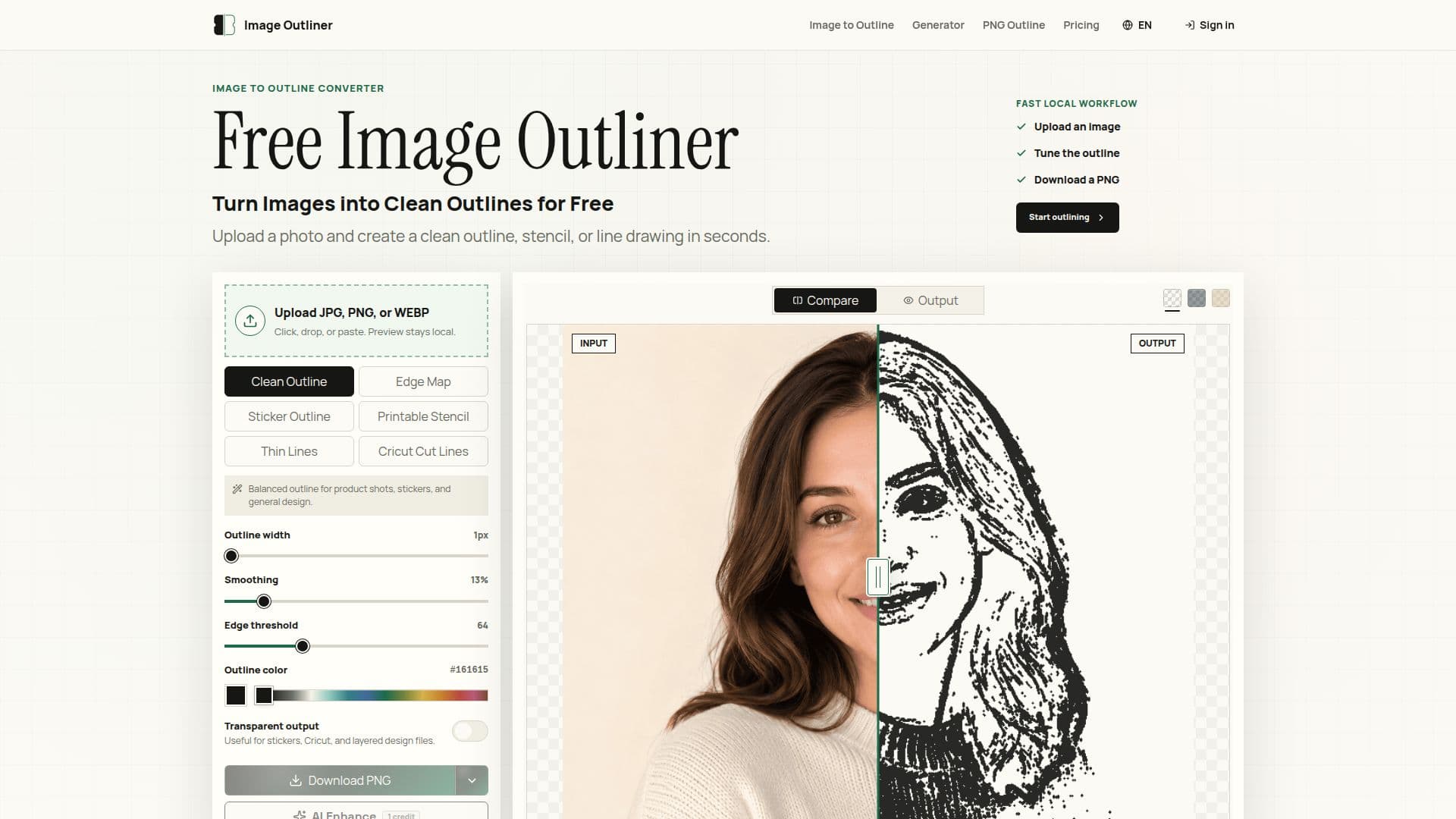
Image Outliner is a free online tool designed to convert images into clean outlines, stencils, and line drawings. It is particularly useful for creators working on Cricut projects, stickers, coloring pages, and various design tasks. Users can upload photos in JPG, PNG, or WEBP formats and select from different output modes, including Clean Outline, Printable Stencil, and Cricut Cut Lines. The tool allows for quick adjustments to stroke width, smoothing, and edge threshold, ensuring that users can achieve the desired outline quality in seconds.
Read More
The process is straightforward: after uploading an image, users can preview the outline locally in their browser. This local processing ensures privacy, as the images do not leave the user's device unless the optional AI Enhance feature is selected. The AI Enhance option is designed for users who require cleaner, print-ready results, particularly for more complex images. This dual approach allows for both quick outlines and high-quality outputs, catering to a wide range of user needs.
Image Outliner is built for a diverse audience, including makers, designers, teachers, and crafters. It simplifies the outlining process, making it accessible to those who may not have advanced graphic design skills. The tool is particularly beneficial for those who need usable outlines without the hassle of manual editing in software like Photoshop or Canva. Users can download their outlines as PNG files, with the option for transparent backgrounds, making them ideal for layering in design projects.
The pricing model is user-friendly, offering unlimited local tools for free, with additional AI credits available for those who wish to enhance their outlines further. Users can choose from various subscription plans based on their needs, ensuring that both casual users and high-volume creators can find a suitable option. Overall, Image Outliner streamlines the process of creating outlines from images, making it a valuable resource for anyone involved in crafting or design.
- CategoryAI Photo Editors
- Pricing ModelFreemium
- DeploymentWeb
- PlatformsBrowser
Image Outliner's Core Features
Free local tools
AI Enhance option
Multiple output modes
Transparent PNG download
Adjustable stroke width
Edge threshold control
Fast local processing
No account required for basic use
How to use Image Outliner?
Upload: Select and upload your image file.
Choose Mode: Select the desired output mode (Clean Outline, Printable Stencil, Cricut Cut Lines).
Adjust Settings: Modify stroke width, smoothing, and edge threshold as needed.
Preview: View the outline locally in your browser.
Download: Export the generated outline as a PNG file.
Image Outliner's Use Cases
- Cricut Projects
- Sticker Design
- Craft Templates
- Coloring Pages
- Product Images