Description
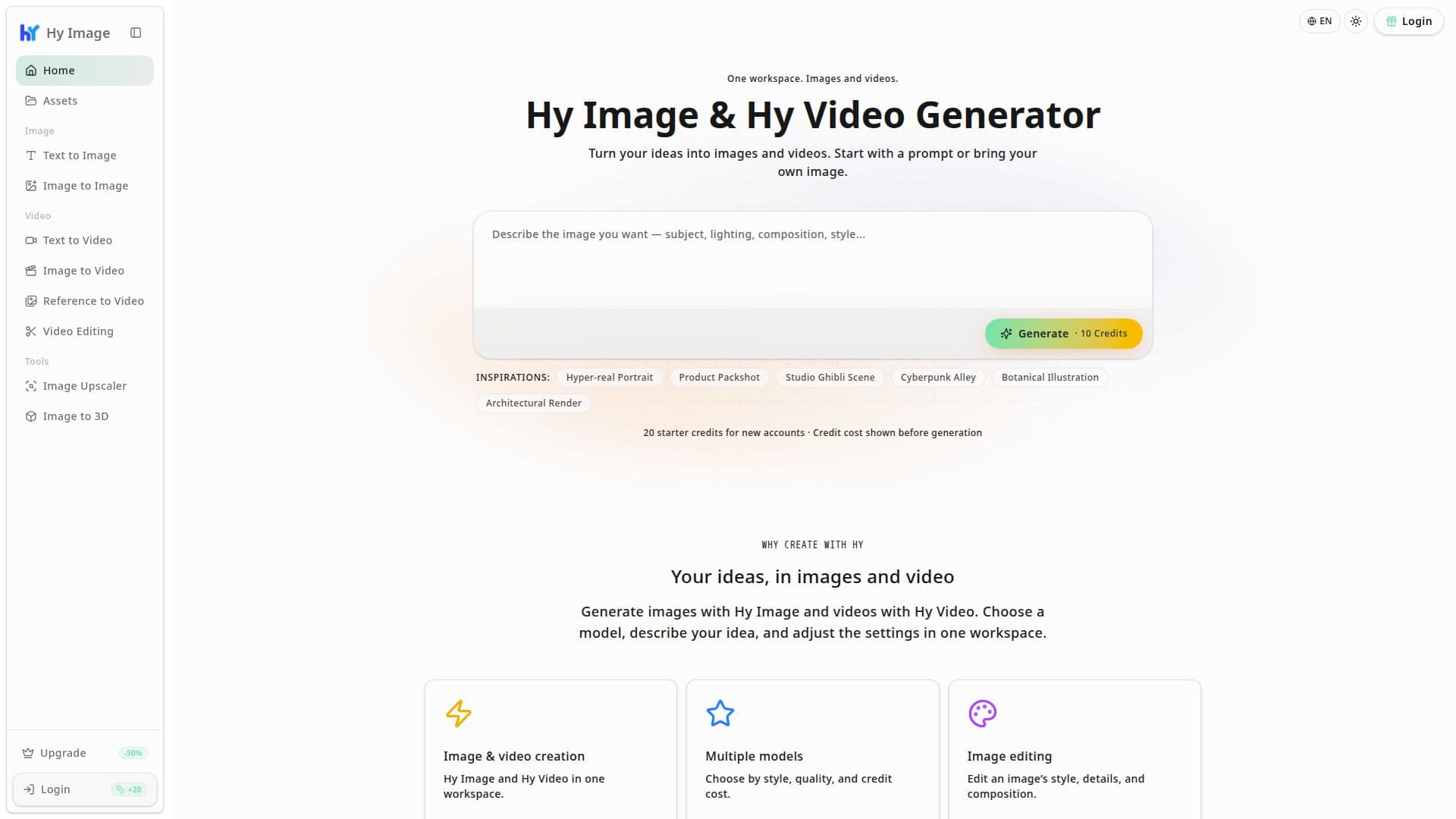
Hy Image is a browser-based platform for generating and editing images and video, built as one workspace covering both Hy Image (stills) and Hy Video (motion). Its main model is Hy Image 3.5, which the site describes as inspired by Hunyuan image-generation technology; it also offers other models, including Nano Banana 2.5, so users can pick a model by style, quality, and credit cost.
Read More
On the image side, users can generate from a text prompt, describing a subject, style, and composition to produce portraits, product visuals, or illustrations, or edit an existing image by uploading it and describing the change they want, such as a new background or added detail. Output supports 1K, 2K, and 4K resolutions across square, portrait, landscape, ultra-wide, and ultra-tall formats. On the video side, Hy Video covers text-to-video (describing a scene, action, and camera movement), image-to-video (animating a still photo from a motion description), reference-to-video (guided by an uploaded image, video, or audio reference, with supported inputs varying by model), and video editing (uploading a clip and describing a change to apply to it).
The platform also includes two standalone tools: an image upscaler and an image-to-3D converter for turning a flat image into a 3D asset.
Access runs on a credit system. New accounts get 20 starter credits, and the credit cost of a generation is shown on the Generate button before the user commits to it, so there's no surprise charge after the fact. Higher resolutions, longer videos, and different models carry different credit costs. According to the site's own FAQ, commercial use of generated output depends on the plan and the rights associated with the prompts or reference material used, so users are directed to check current terms before publishing client or commercial work.
Hy Image is aimed at people who want quick AI-generated images or short video clips without installing separate design or video software: marketers, content creators, and anyone testing visual concepts from a prompt. The interface is available in a dozen-plus languages, and prompts themselves can be written in multiple languages, with the model able to render text in those languages as part of a generated image.
- CategoryAI Image Generators
- Pricing ModelFreemium
- DeploymentCloud
- PlatformsWeb
Hy Image's Core Features
Text-to-image generation with Hy Image 3.5 or Nano Banana 2.5, in resolutions up to 4K
Image editing that changes an uploaded photo's style, background, or details from a text description
Text-to-video generation from a written scene, action, and camera-movement description
Image-to-video animation that turns a still photo into a moving clip from a motion prompt
Reference-to-video generation guided by an uploaded image, video, or audio reference
Video editing that applies a described change to an uploaded clip
Standalone image upscaler and an image-to-3D conversion tool
Visible credit cost shown before every generation, with starter credits for new accounts
How to use Hy Image?
Pick a tool: Choose text-to-image, image-to-image, text-to-video, image-to-video, or video editing
Choose a model: Select Hy Image 3.5, Nano Banana 2.5, or another available model
Write or upload: Enter a text prompt, or upload a reference image, video, or audio clip
Set the output: Choose the ratio, resolution, and, for video, the duration
Generate: Check the credit cost shown on the Generate button, then create the asset
Refine or export: Edit the result further or download the finished image or video
Hy Image's Use Cases
- Product and portrait visuals
- Photo-to-video animation
- Image editing and upscaling