Description
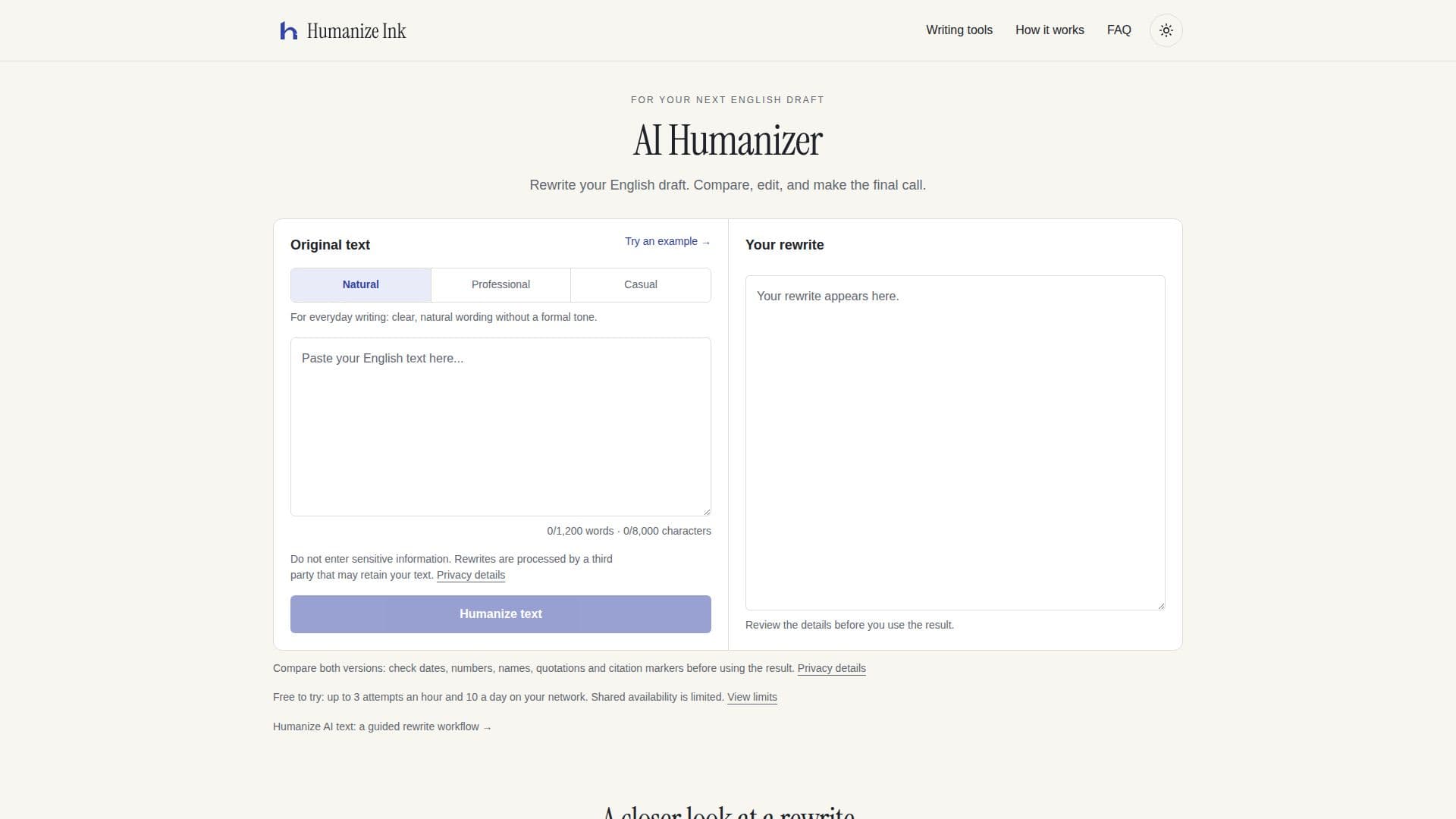
Humanize Ink provides an AI Humanizer designed to transform English drafts into more natural-sounding text, offering options for professional or casual tones. This tool is ideal for anyone looking to refine their writing, whether for everyday communication, work emails, reports, or informal messages. The platform emphasizes a guided rewrite workflow, allowing users to paste their English draft, choose a desired tone, and then review, edit, and copy the final text.
Read More
The core functionality involves a side-by-side comparison of the original and rewritten versions, enabling users to meticulously check for accuracy in dates, numbers, names, quotations, and citation markers. While the tool aims to preserve meaning, it explicitly states that mistakes are possible and encourages users to always review the output. The platform also highlights a "Show changes" feature to easily identify modifications made during the rewriting process.
In addition to the AI Humanizer, Humanize Ink offers several local writing tools that process text directly in the user's browser, ensuring privacy as the text is not sent for rewriting. These include a word frequency counter, which helps users analyze word usage before and after edits, and a comma separator, useful for converting line-separated values into comma lists or CSV rows. These supplementary tools enhance the overall writing and editing experience.
Humanize Ink operates on a free-to-use model with certain limitations. Users can make up to 3 attempts per hour and 10 attempts per day on their network, with a shared daily allowance also applying. There are no paid plans or subscriptions, making it accessible for individuals who need to refine their English writing. The service supports English text only, with a maximum input of 1,200 words and 8,000 characters per attempt. Users are advised against entering sensitive information, as rewriting involves a third party that may retain the text for training purposes. The platform also clarifies that there is no guarantee of passing AI detectors, as it is primarily a writing assistance tool.
- CategoryAI Humanizers
- Pricing ModelFree
- DeploymentCloud
- PlatformsWeb
Humanize Ink's Core Features
Rewrite English drafts into natural, professional, or casual tones
Side-by-side comparison of original and rewritten text
Ability to edit and copy the final rewritten text
"Show changes" feature to highlight modifications
Word frequency counter for local text analysis
Comma separator tool for converting text to lists or CSV
Free to use with daily and hourly attempt limits
Supports up to 1,200 words and 8,000 characters per attempt
Privacy details regarding third-party text processing
No registration or payment details required
English text only support
Local processing for word frequency and list tools
Examples of rewrite results for different tones
FAQ section addressing common user questions
How to use Humanize Ink?
Paste Draft: Bring an English paragraph or short passage into the input box.
Choose Tone: Select Natural, Professional, or Casual, then click "Humanize text".
Review & Edit: Compare the output with your draft, check details, and make local edits.
Copy Final Text: Save any local edits and then copy your final version.
Humanize Ink's Use Cases
- Refining Professional Documents
- Enhancing Everyday Communication
- Creating Informal Messages
- Checking Text for Consistency
- Analyzing Word Usage
- Formatting Lists and Data
- Improving Readability
- Drafting Academic Content