


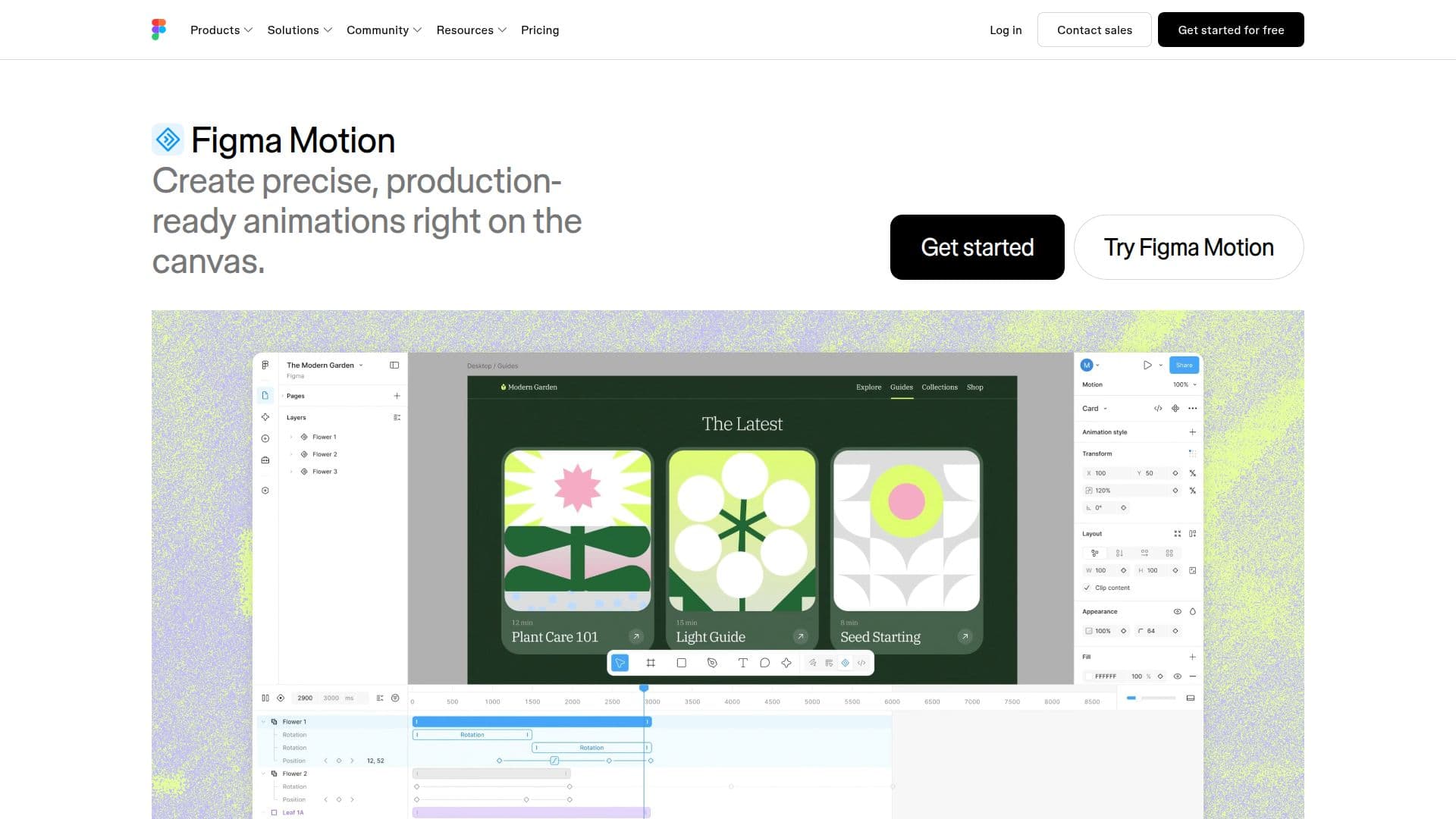
Description
Figma Motion is an animation tool integrated directly into the Figma platform, designed for both designers and developers. It enables users to create precise, production-ready animations on the canvas, offering a seamless workflow for motion design. Whether you're new to motion design or an expert, Figma Motion provides tools to stretch, bounce, and squash designs with ease.
The tool offers full control over keyframes, allowing users to set every frame and property precisely. This enables collaborative efforts where teammates can shape the final animation together. Figma Motion supports various animation styles, including Fade, Rotate, Scale, and Resize, with custom styles coming soon. Users can adjust timing automatically using autokey, and customize each keyframe with bezier curves and springs.
Figma Motion also introduces 3D transforms, adding depth to designs and images. This feature, along with smooth screen-to-screen transitions, is set to enhance the realism of animations. Motion systems allow teams to quickly add on-brand motion assets across projects, reusing components to save time.
Animations created in Figma Motion are backed by production-ready code, exportable directly to CSS, JSON, or React. Developers can inspect the motion timeline in Dev Mode and copy the animation code for seamless integration into projects. The tool also supports exporting animations as MP4, GIF, SVG, or WebM files.
Figma Motion is available as part of Figma's Full seat plan, offering a comprehensive solution for creating and managing animations within the Figma ecosystem. It is ideal for professionals seeking to streamline their animation workflow without relying on external tools.
Figma Motion: Animation Tool's Core Features
Production-ready animations
Keyframe control
Pre-made animation styles
3D transforms
Motion systems
Export to code
Autokey for timing
Export as MP4, GIF, SVG, WebM
How to use Figma Motion: Animation Tool?
Configure: Set up animation styles and keyframes
Use: Create animations directly on the canvas
Export: Share animations as code or media files
Optimize: Adjust timing and styles for precision
Figma Motion: Animation Tool's Use Cases
- Logo Animation
- Hover Interactions
- Loading States
- Screen Transitions
- Storytelling Animations