


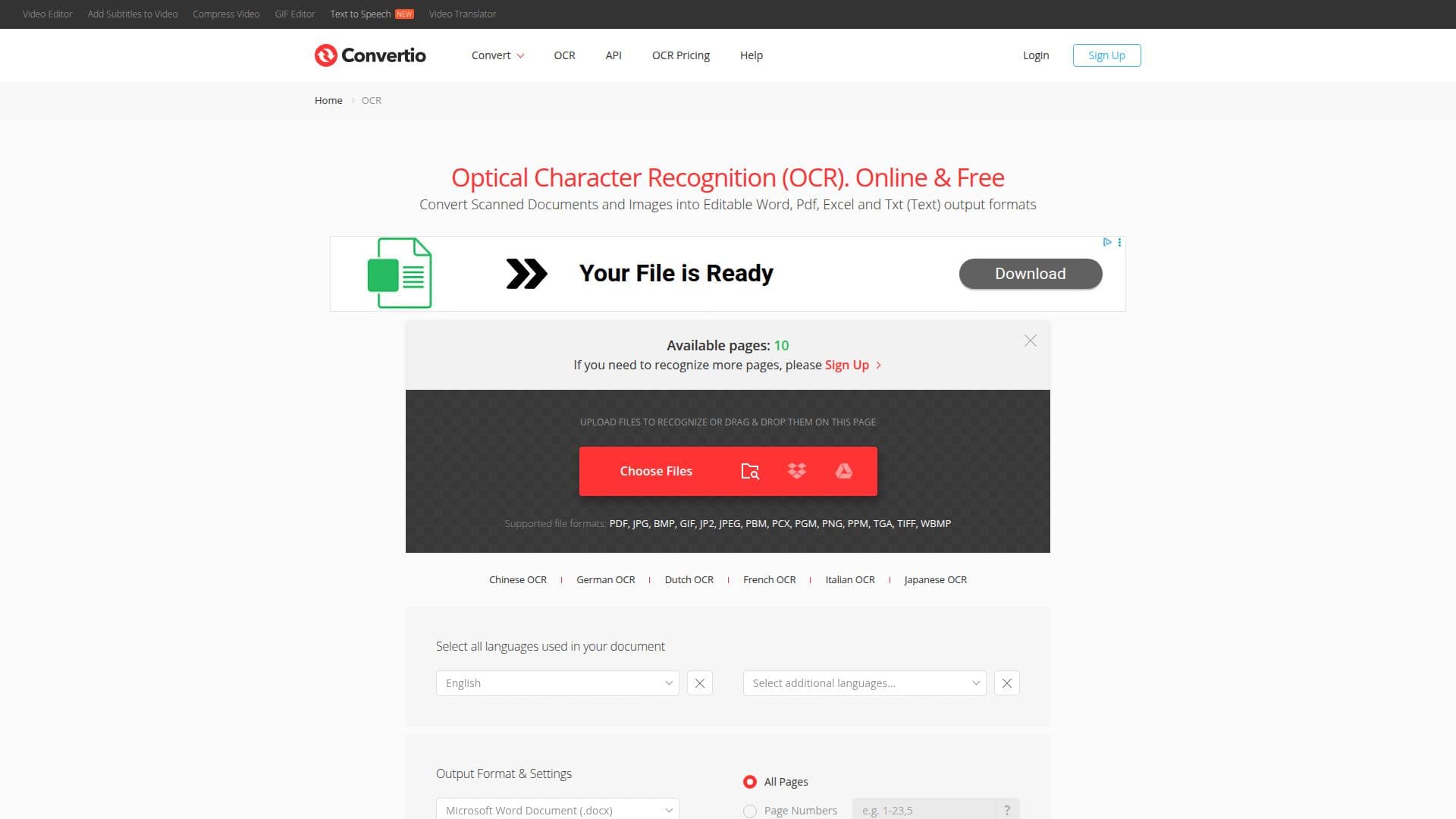
Description
Convertio OCR is a versatile online tool designed to convert scanned documents and images into editable formats such as Word, PDF, Excel, and Text. This tool is particularly useful for users who need to digitize paper documents or extract text from images. It supports a wide range of file formats including pdf, jpg, bmp, gif, jp2, jpeg, pbm, pcx, pgm, png, ppm, tga, tiff, and wbmp, making it highly adaptable to various user needs.
The tool offers language support for numerous languages, including but not limited to Chinese, German, Dutch, French, Italian, and Japanese. Users can select the languages used in their documents to improve the accuracy of the OCR process. Convertio OCR also provides multiple output formats, allowing users to choose from options like Microsoft Word (.docx), Excel (.xlsx, .xls), PowerPoint (.pptx), PDF, Text (.txt), RTF, CSV, EPUB, FB2, and DjVu.
One of the key features of Convertio OCR is its ease of use. Users can upload files from their computer, Google Drive, Dropbox, or via URL, and simply drag them onto the page. After selecting the desired output format and languages, users can click the "Recognize" button to start the conversion process. The tool is free to use for up to 10 pages, with additional pages available upon signing up.
Convertio OCR is part of the broader Convertio platform, which supports over 300 input and output formats and processes more than 1 million files daily. The platform emphasizes security, ensuring that files are deleted after conversion and communications are encrypted. This makes Convertio OCR a reliable choice for users concerned about data privacy.
While the tool offers a free tier, premium packages are available for users who require more extensive use. These packages provide benefits such as unlimited file size, high priority processing, ad-free pages, and prioritized support. Payment options include credit/debit cards, PayPal, and other methods depending on the user's country.
Convertio OCR Tool's Core Features
Supports multiple file formats
Language selection for OCR
Various output formats
Free tier available
Secure file handling
Premium packages with additional features
Integration with cloud services
User-friendly interface
How to use Convertio OCR Tool?
Upload: Select files from computer or cloud
Select: Choose languages and output format
Recognize: Click the 'Recognize' button
Download: Retrieve the converted file
Convertio OCR Tool's Use Cases
- Document digitization
- Text extraction
- Multilingual OCR
- Cloud integration
- Secure conversions