


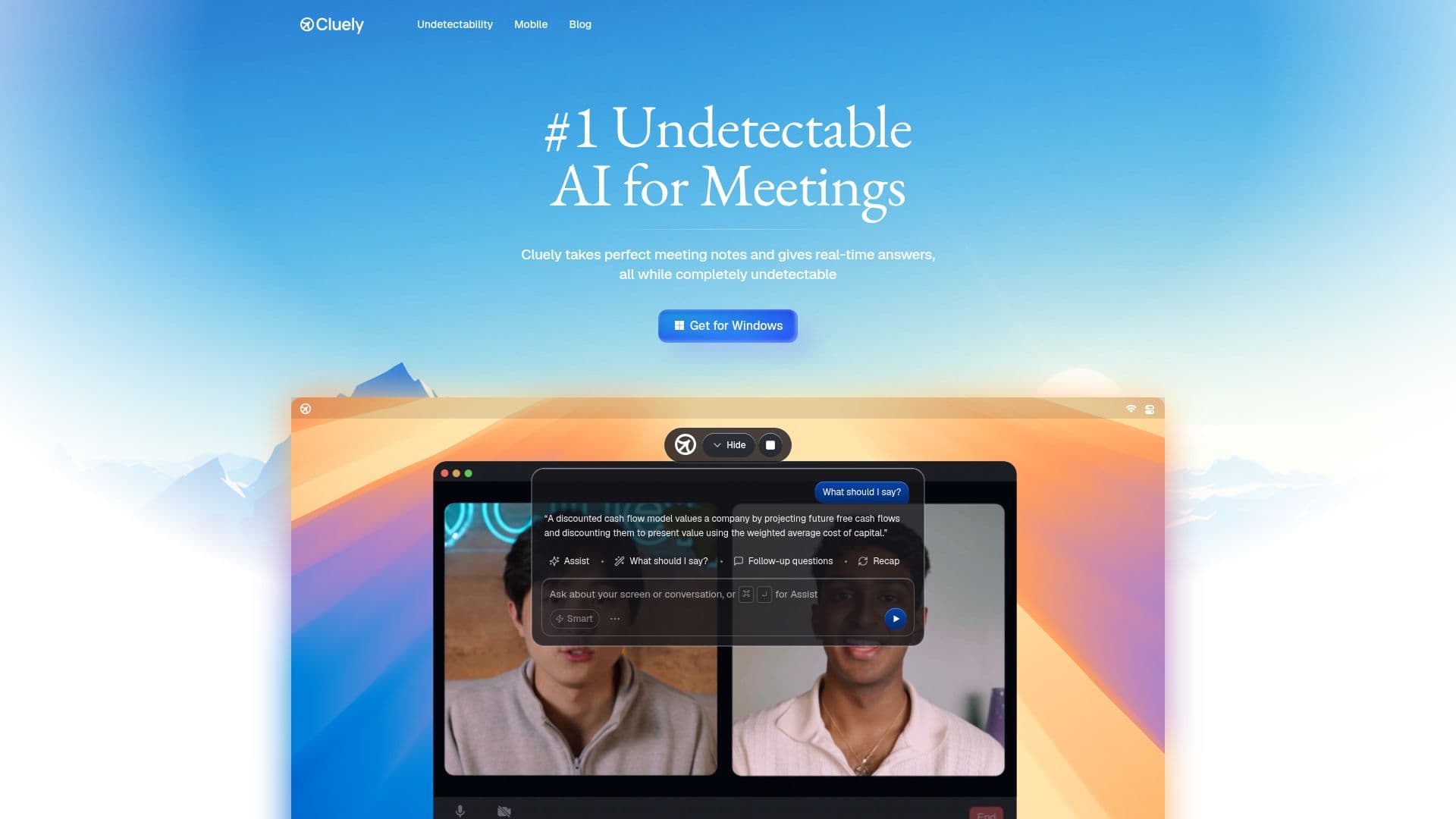
Description
Cluely is an innovative AI notetaker and meeting assistant designed to enhance productivity during meetings. Unlike traditional tools that focus on post-meeting summaries, Cluely operates in real-time, providing live notes and instant AI answers during calls. This makes it an invaluable tool for professionals who need immediate insights and assistance.
One of Cluely's standout features is its undetectable nature. It functions as a private desktop overlay, ensuring it doesn't appear in screen shares or meeting recordings. This allows users to benefit from its capabilities without disrupting the meeting flow or alerting other participants.
Cluely offers real-time transcription, turning spoken words into text instantly. This feature is particularly useful for creating accurate meeting notes and follow-ups. Additionally, Cluely can act as an interview assistant, providing context, answers, and follow-up points during live conversations.
The pricing model for Cluely includes a free starter plan with essential features and limited AI responses. Users can upgrade to the Pro plan for $19.99 per month, which offers unlimited AI responses and meeting notetaking. For those who require complete undetectability during screen sharing, the Pro + Undetectability plan is available for $149.99 per month.
Cluely is ideal for professionals who need to capture and analyze meeting content in real-time. Its ability to provide instant answers and follow-up actions makes it a powerful tool for enhancing meeting productivity and ensuring no detail is missed.
Cluely's Core Features
Undetectable AI notetaker
Real-time transcription
Live meeting notes
Instant AI answers
Interview assistant capabilities
Private desktop overlay
Does not join meetings
Invisible to screen share
How to use Cluely?
Configure: Set up Cluely on your desktop
Use: Start a meeting and let Cluely transcribe
Optimize: Use real-time AI answers during calls
Review: Access meeting notes and follow-ups
Cluely's Use Cases
- Real-time transcription
- Live meeting notes
- Interview assistance
- Instant AI answers
- Undetectable operation