
Description
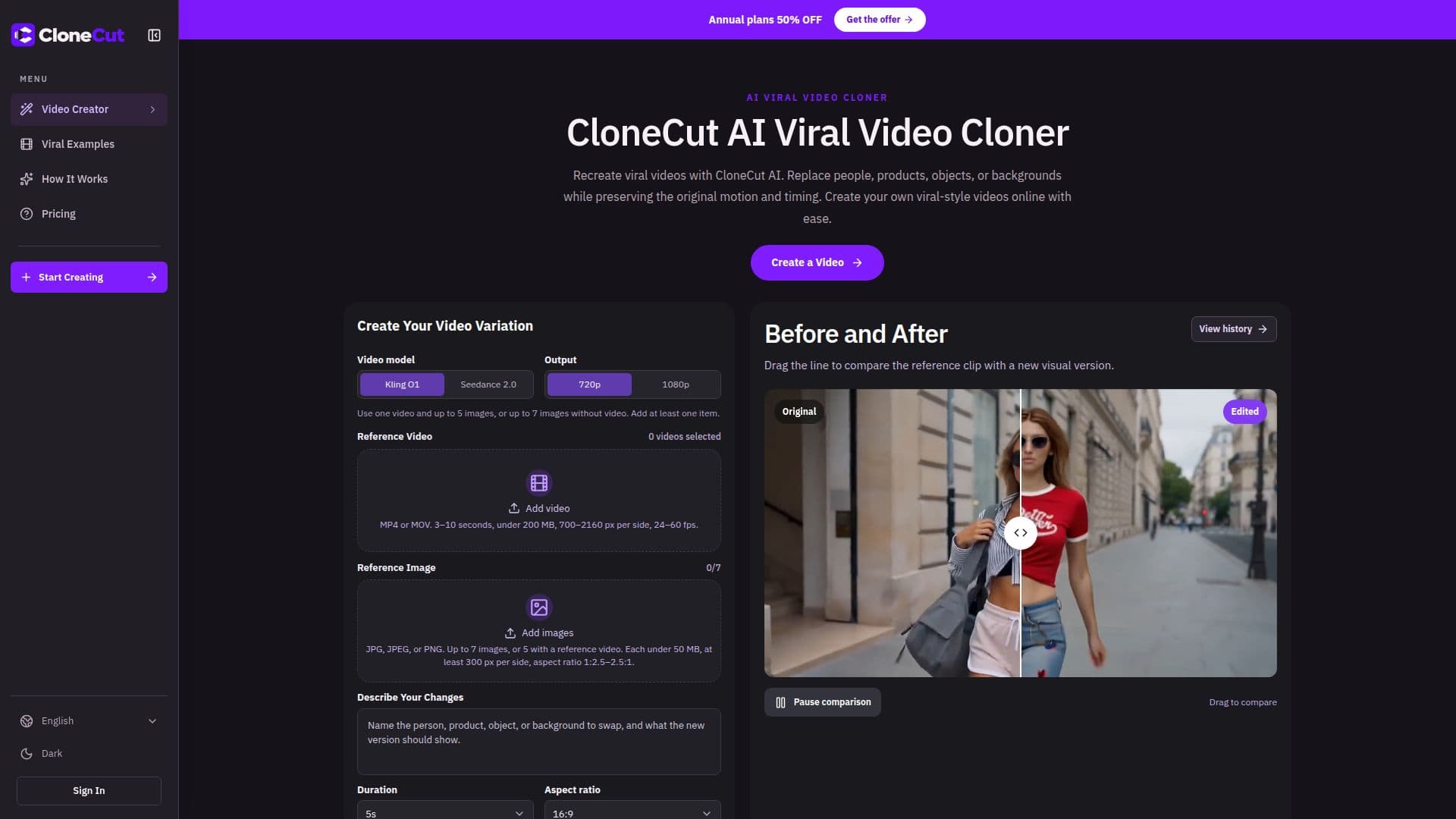
CloneCut AI is an innovative online platform designed to simplify the process of recreating viral videos. It leverages AI to allow users to replace key visual elements within a video, such as people, products, objects, or backgrounds, all while meticulously maintaining the original motion, camera path, and timing of the reference clip. This capability empowers content creators to generate their own unique variations of popular videos, adapting existing content to new stories or branding needs without complex video editing skills.
Read More
The process begins by selecting a reference video, which provides the foundational sequence and movement. Users then upload an image of the new person, product, object, or setting they wish to introduce into the scene. Crucially, CloneCut AI allows users to specify which elements should remain unchanged, ensuring precise control over the final output. For instance, one can swap a product while retaining the hand movements and camera angle, or change a character while preserving their pose and overall performance.
CloneCut AI offers flexibility in content creation, supporting combinations of one video and up to five images, or up to seven images without a video. Before generating the final output, users can review a credit quote, select a model, and choose the desired output quality (480p, 720p, or 1080p). The platform also provides a 'before and after' comparison tool to visualize the changes. It addresses common concerns through an FAQ section, clarifying aspects like credit usage, generation failures, and the importance of using permitted source material.
Targeted at casual creators and professionals alike, CloneCut AI offers various subscription plans (Lite, Pro, Ultra) with different credit allocations and features like no watermarks, complete privacy, faster generation, and priority support. Credits are returned for confirmed generation failures, providing a safety net for users. The tool is ideal for those looking to quickly produce engaging, customized video content by leveraging existing viral trends and applying their own creative twists.
- CategoryAI Video Editors
- Pricing ModelSubscription
- DeploymentCloud
- PlatformsWeb
CloneCut AI's Core Features
AI Viral Video Cloning
Replace People in Videos
Swap Products in Scenes
Change Objects within Clips
Alter Video Backgrounds
Preserve Original Motion and Timing
Support for Video and Image Inputs
Credit-Based Generation Cost
Before and After Comparison Tool
Multiple Output Resolutions (480p, 720p, 1080p)
No Watermark (with subscription)
Complete Privacy (with subscription)
Faster Generation (with subscription)
Priority Support (with subscription)
Credit Return on Confirmed Failures
How to use CloneCut AI?
Choose Reference Video: Upload a short clip or select an example with a clearly visible subject and recognizable movement.
Add New Look: Provide an image of the person, product, object, or setting you want in the scene and specify what should remain unchanged.
Review Variation: Select a model and output quality, check the credit quote, and review the new version for visual differences.
Generate Video: Confirm the settings and initiate the generation process to create your customized video variation.
CloneCut AI's Use Cases
- Viral Video Recreation
- Product Showcase
- Character Replacement
- Object Swapping
- Background Change
- Content Adaptation
- Creative Storytelling