
Description
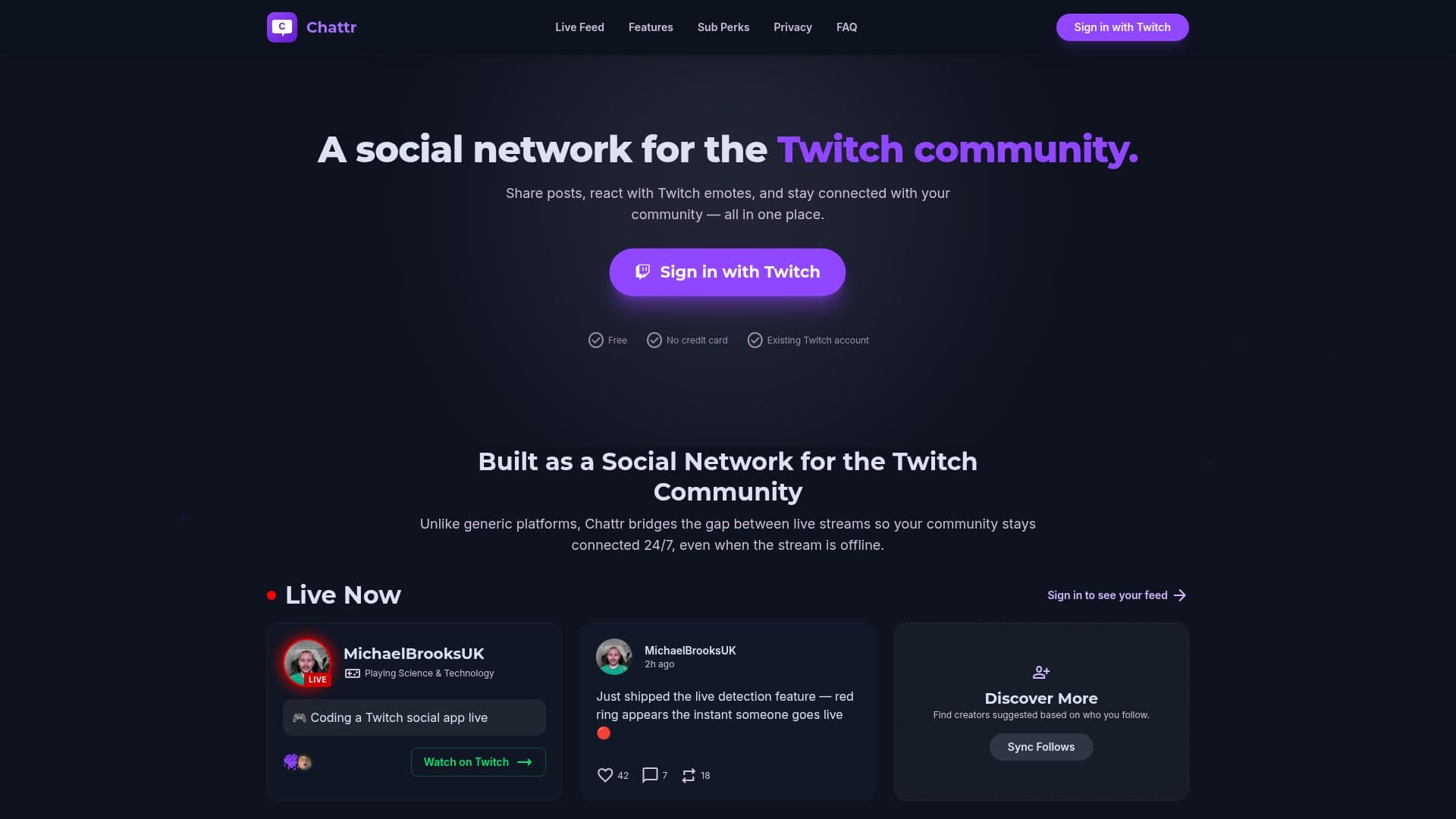
Chattr is a dedicated social network for Twitch streamers and fans, offering a platform to share posts, react with Twitch emotes, and stay connected between streams. Users can sign in with their existing Twitch accounts, eliminating the need for new usernames or passwords. Chattr automatically syncs your Twitch follows, ensuring your community is ready immediately.
Read More
One of the standout features of Chattr is its live alert system. A red ring appears on a user's profile picture, and a live card drops into your feed the moment a stream starts, ensuring you never miss a live session. Additionally, users can send tips to their favorite streamers via integrated, Stripe-powered payouts directly from profiles or posts.
Chattr is completely free to use, making it accessible to all Twitch users. It requests only the minimum Twitch permissions needed, such as your username, profile picture, and the list of channels you follow. Importantly, Chattr does not post, send messages, or modify your Twitch account.
The platform is designed to bridge the gap between live streams, keeping communities connected 24/7. Users can also share Twitch clips, which embed automatically, allowing for seamless watching, reacting, and commenting without leaving the platform. Voice posts with AI-powered transcription are another innovative feature, enhancing communication within the community.
Chattr is not affiliated with Twitch Interactive, Inc., but it serves as an independent network built specifically for the Twitch community. It provides a unique space for streamers and fans to interact, share, and grow their communities.
- CategorySocial Media
- Pricing ModelFree
- DeploymentCloud
- PlatformsWeb
Chattr's Core Features
Twitch account integration
Live stream alerts
Twitch emote reactions
Stripe-powered tipping
Automatic follow syncing
Embedded Twitch clips
Voice posts with transcription
Privacy-focused permissions
How to use Chattr?
Sign up: Use your Twitch account to join
Log in: Access your synced community
Configure: Set up notifications and preferences
Use: Share posts and react with emotes
Optimise: Engage with live alerts and tips
Chattr's Use Cases
- Community Engagement
- Live Alerts
- Tipping Streamers
- Clip Sharing
- Voice Messaging