

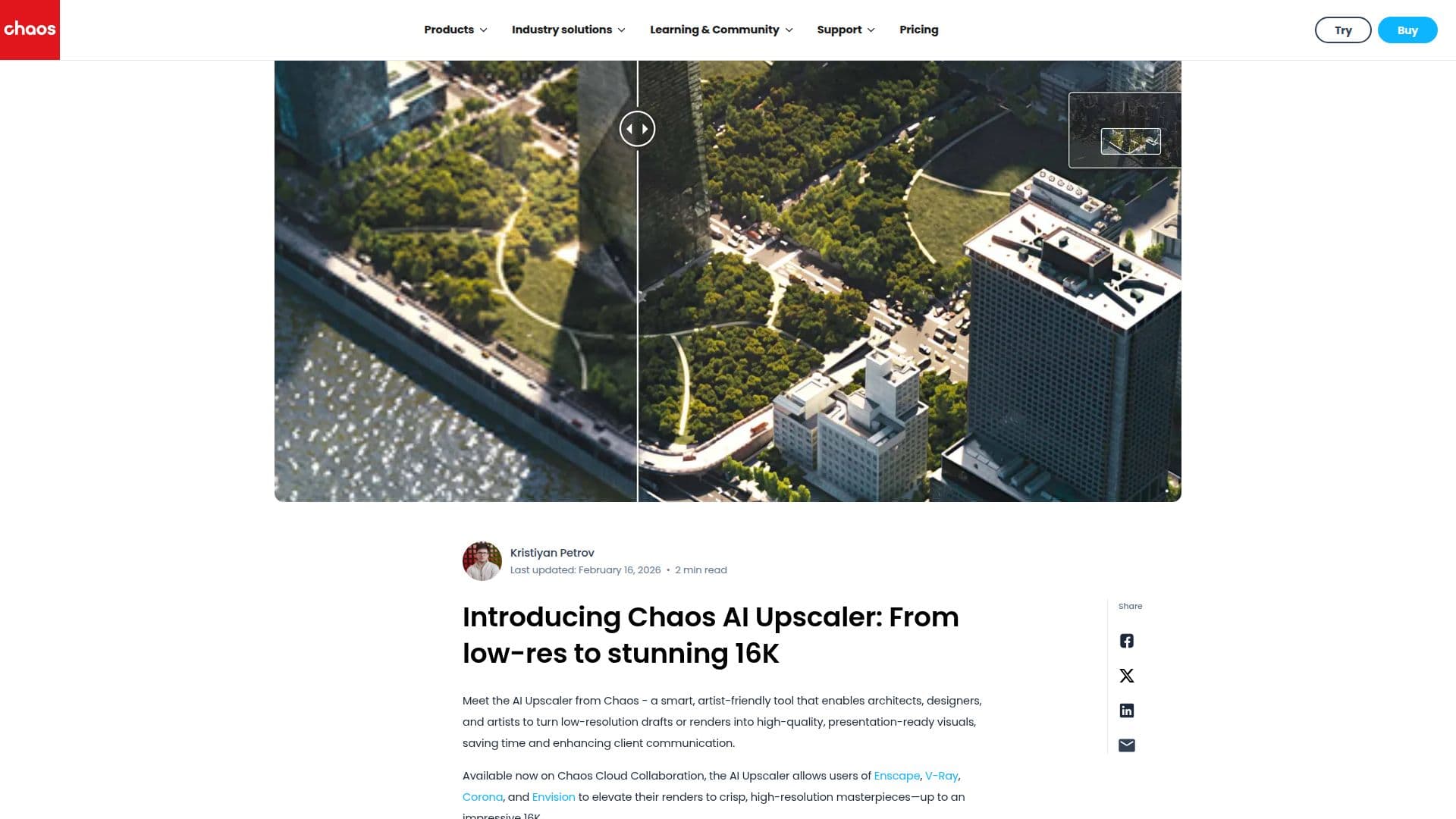
Description
Chaos AI Upscaler is an innovative tool designed to transform low-resolution drafts into high-quality, presentation-ready visuals, reaching up to 16K resolution. Available on Chaos Cloud Collaboration, it is particularly beneficial for architects, designers, and artists who need to enhance their renders without the need for re-rendering at higher resolutions. The AI Upscaler preserves essential details such as crisp geometry, sharp textures, and subtle lighting, ensuring that the final output maintains fidelity without oversmoothing or introducing artificial details. This makes it ideal for upscaling images for presentations, prints, or high-resolution deliverables.
The tool is fully integrated into Chaos Cloud Collaboration, allowing users to upscale directly in the cloud without the need for additional plugins or complicated setups. It supports common image formats like .jpg, .png, and .tiff, making it versatile for various workflows. Users of Enscape, V-Ray, Corona, and Envision can easily elevate their renders to high-resolution masterpieces.
Chaos AI Upscaler is currently in public beta, inviting users to provide feedback through a built-in rating system. This feedback is crucial for the development team, led by Kristiyan Petrov, to refine the tool and ensure it meets the needs of its users. The tool is designed to streamline workflows, reduce production time, and enhance client communication by allowing lower-resolution renders to be enhanced post-production.
The AI Upscaler is particularly useful for meeting tight deadlines, as it reduces the need for long high-resolution render times. It is also beneficial for renders originally created at lower resolutions that require additional details and sharpness for presentation or print. By integrating seamlessly into existing workflows, Chaos AI Upscaler empowers users to deliver high-quality visuals efficiently.
Chaos AI Upscaler's Core Features
Transforms low-resolution drafts into 16K renders
Preserves crisp geometry and sharp textures
Integrated with Chaos Cloud Collaboration
Supports .jpg, .png, and .tiff formats
Reduces need for re-rendering at higher resolutions
Enhances client communication
Public beta with feedback system
Ideal for presentations and high-resolution deliverables
How to use Chaos AI Upscaler?
Upload: Add your images to Chaos Cloud Collaboration
Edit: Open the edit panel to begin upscaling
Upscale: Enhance images directly in the cloud
Review: Check the enhanced visuals for quality
Chaos AI Upscaler's Use Cases
- Architectural Visualization
- Design Drafts
- Client Presentations
- Print Deliverables
- Workflow Efficiency