


Description
BrowseWiz is an AI-powered browser assistant designed to streamline web browsing and enhance productivity. It offers features such as contextual AI chat, chat history, and a prompt templates organizer known as The Promptbook. Users can analyze multiple files simultaneously and bring their own key or model for customization. The extension supports spreadsheet and calendar management toolsets, making it ideal for organizing and analyzing information.
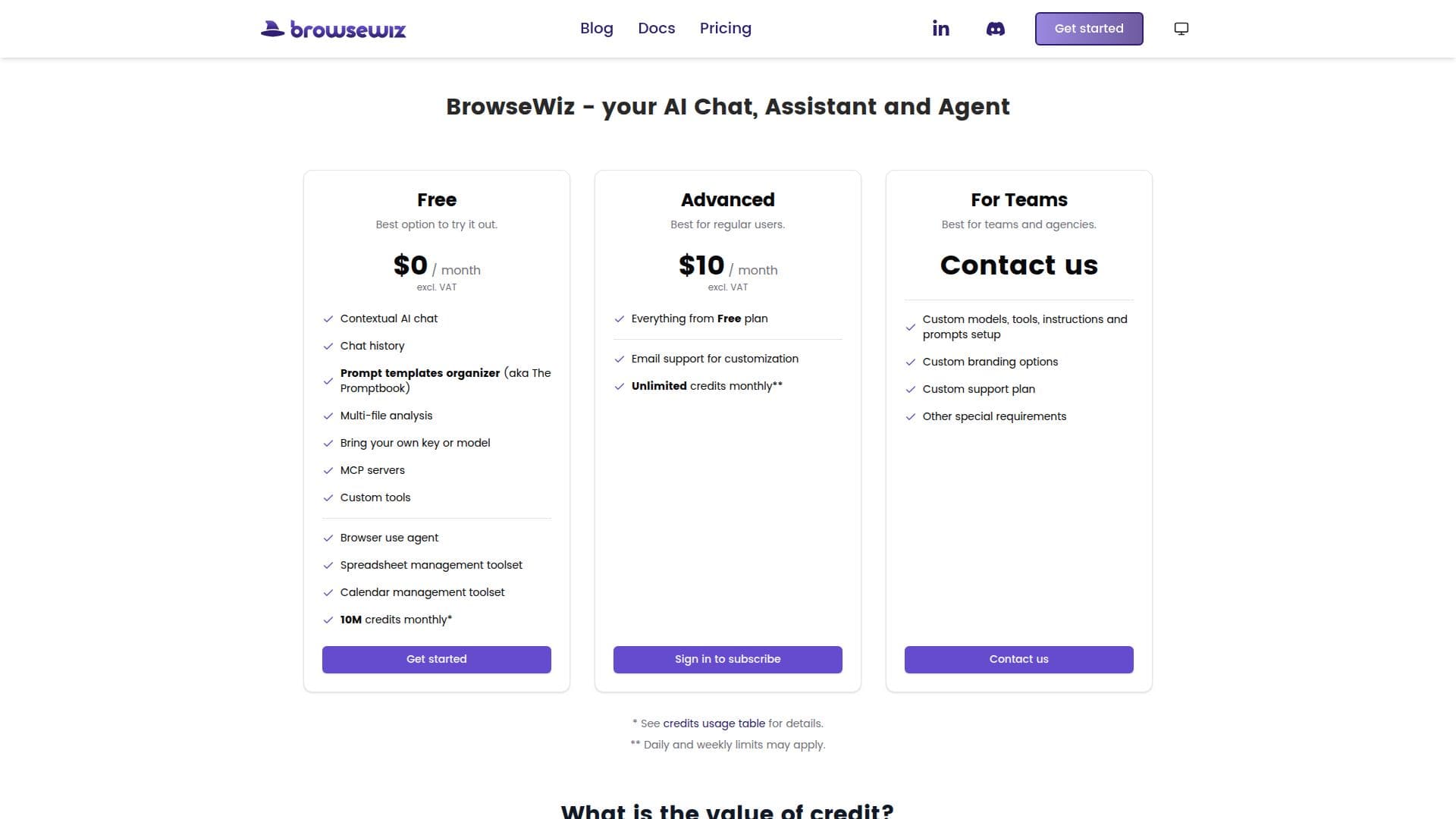
BrowseWiz provides three pricing tiers: Free, Advanced, and For Teams. The Free plan is suitable for trying out the extension, offering features like contextual AI chat and multi-file analysis. The Advanced plan, priced at USD 10.00, is tailored for regular users, offering unlimited credits monthly and email support for customization. The For Teams plan is designed for teams and agencies, providing custom models, tools, instructions, and prompts setup, along with custom branding options.
The extension excels at data research and structured extraction, using a browser use agent and spreadsheet toolset to gather, organize, and analyze information from across the web. It can transform existing content, such as articles into social media posts or PDF e-books into summary articles. BrowseWiz uses powerful prompt templates to create customized content, allowing users to specify the topic, tone, target audience, and additional data.
BrowseWiz is suitable for individuals, teams, and agencies looking to optimize their web browsing experience and automate tasks. It offers a versatile solution for learning, writing, and content transformation, making it a valuable tool for enhancing productivity and efficiency.
BrowseWiz: AI Browser Extension's Core Features
Contextual AI chat
Chat history
Prompt templates organizer
Multi-file analysis
Spreadsheet management toolset
Calendar management toolset
Custom tools
Custom branding options
Email support for customization
Unlimited credits monthly
How to use BrowseWiz: AI Browser Extension?
Configure: Set up your preferences and tools
Use: Start browsing and utilizing AI features
Optimize: Customize prompts and workflows
Analyze: Use multi-file analysis for data insights
BrowseWiz: AI Browser Extension's Use Cases
- Web research
- Content creation
- Task automation
- Data analysis
- Document translation