Description
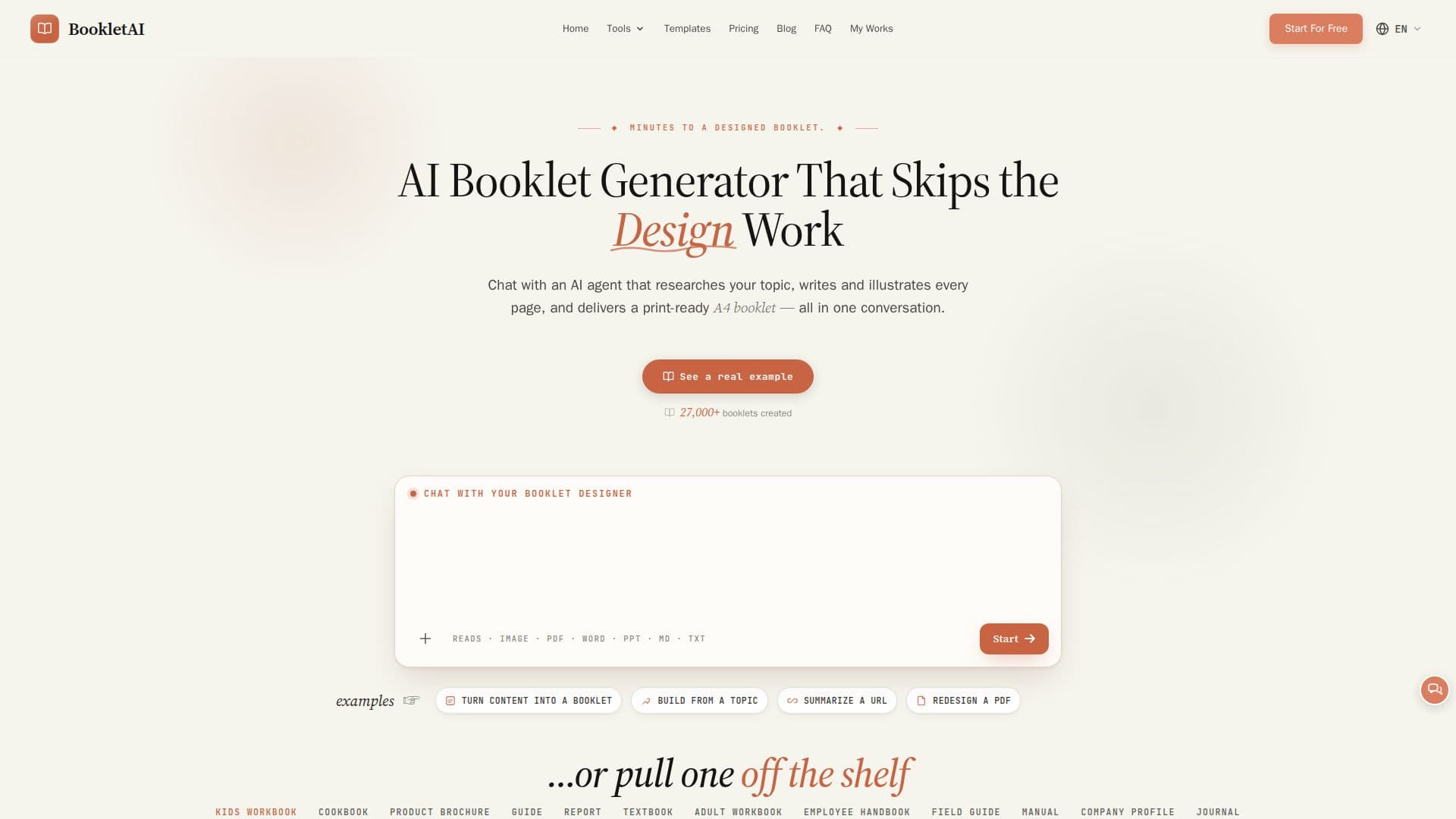
Booklet AI is an AI agent that turns a topic, your own content, or a PDF into a complete, illustrated, print-ready A4 booklet in a single conversation. You chat with the agent, which asks about your audience, style, and goals, then researches, writes, and lays out every page so you do not have to handle any design work.
Read More
When you start from a topic, the AI searches the web and deep-scrapes several high-quality pages, showing search cards in the chat as it works, or you can paste existing text to skip research and go straight to outlining and illustrating. Industry Skills automatically detect your field, such as business, education, or healthcare, and shape the questions the AI asks, the outline it builds, and its tone. Every page is matched with a fitting image, using real photos for concrete subjects and AI-generated art for abstract ideas.
The tool shows a full page-by-page outline for approval before writing, then generates pages in real time. You can edit any single page independently without regenerating the rest, and there is no practical page limit, with support for booklets of hundreds of pages that keep chapters, layout, and page numbering consistent. It follows your input language and supports English, Chinese, Japanese, Korean, German, French, Spanish, Italian, and Portuguese.
Booklet AI offers hundreds of professionally designed templates spanning workbooks, cookbooks, brochures, handbooks, reports, and a dedicated storybook generator. It exports offline HTML or print-ready PDF, and uses a credit system with a free plan and paid subscriptions.
- CategoryAI Document & PDF Tools
- Pricing ModelFreemium
- DeploymentCloud
- PlatformsWeb
Booklet AI's Core Features
Chat-based AI agent that researches, writes, and illustrates a full booklet
Web research with deep-scraping of high-quality pages, or use your own pasted content
Industry Skills that adapt questions, structure, and tone to your field
Automatic per-page illustration with real photos or AI-generated art
Page-by-page outline approval before writing
Single-page editing that leaves the rest of the booklet untouched
Hundreds of templates plus a personalized storybook generator
Multi-language support and export to HTML or print-ready A4 PDF
How to use Booklet AI?
Start a booklet: Enter a topic, paste your own content, or upload a PDF, or pick a template.
Answer the agent: The AI asks about your audience, style, and goals before creating anything.
Review the outline: Approve the page-by-page outline and choose a style.
Watch it build: Pages appear in real time with text and matching illustrations.
Edit and export: Revise any single page, then download the HTML or export a print-ready PDF.
Booklet AI's Use Cases
- Product brochures
- Training manuals
- Exam prep workbooks
- Children's storybooks
- Reports and handbooks