Description
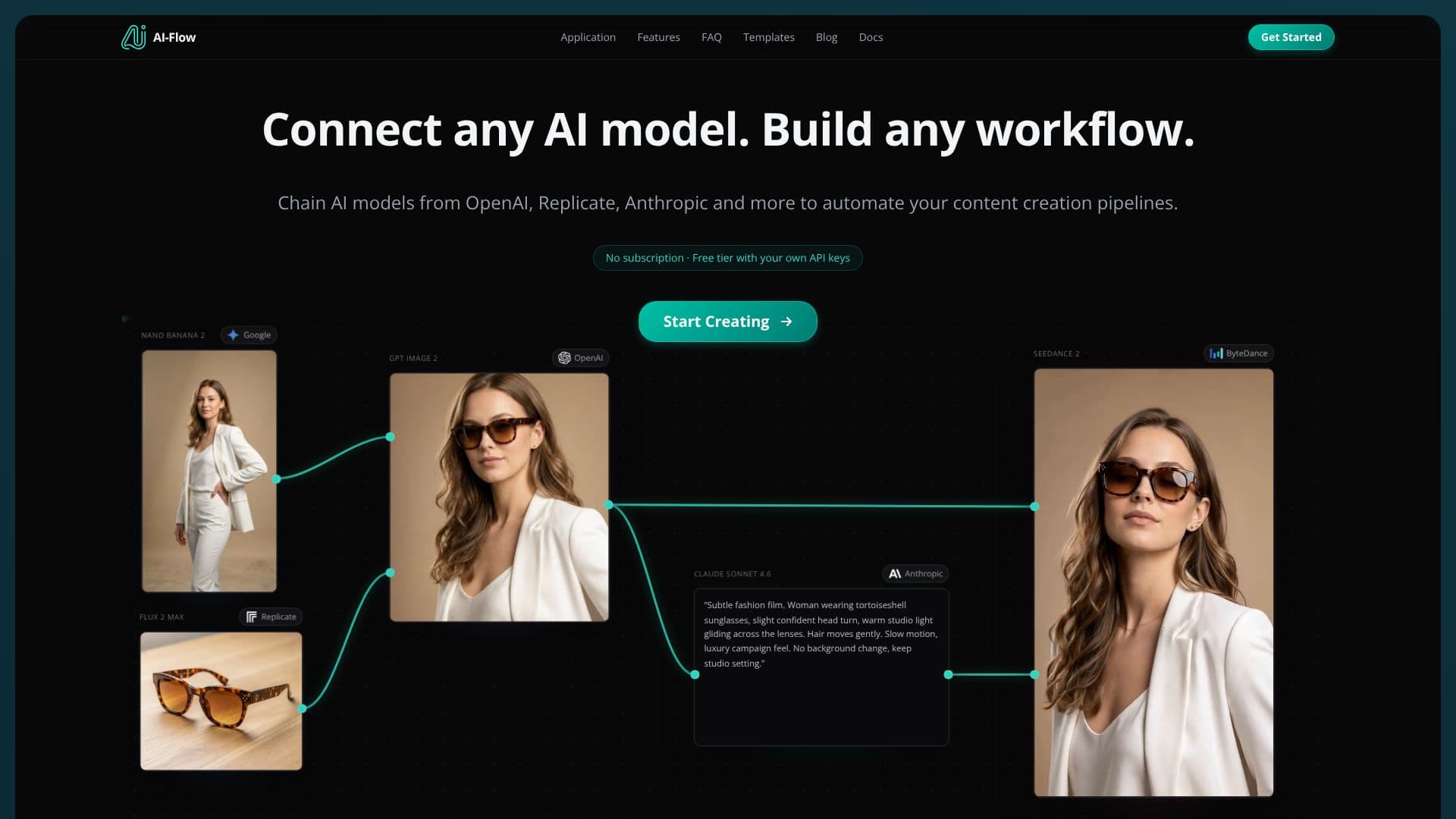
AI-Flow empowers users to seamlessly integrate and orchestrate diverse AI models into powerful, automated workflows. This open-source application provides a user-friendly interface for connecting models from leading providers such as OpenAI, Anthropic, Google, and Replicate. Whether you need to automate content creation pipelines, generate product videos, or enhance image resolution, AI-Flow offers the flexibility to build virtually any workflow.
Read More
The platform supports a wide array of AI models, including GPT, Claude, Gemini, various image generation models like Nano Banana and GPT Image, video models like Seedance and Kling, and audio models. Users can choose to integrate their own API keys from providers like OpenAI, Anthropic, and Replicate, allowing them to pay directly at the provider's rates. Alternatively, AI-Flow offers platform credits for a no-setup-required experience.
AI-Flow is designed for creators, developers, and businesses looking to leverage AI for efficiency and innovation. It offers ready-made templates that can be customized for specific needs, such as product mockup creation, batch image generation, and video production. The ability to build and customize APIs for AI workflows, along with webhook integration, ensures seamless integration into existing projects and systems.
With a focus on accessibility, AI-Flow provides a free tier that includes welcome credits and daily free runs for Bring Your Own Key (BYOK) nodes. This allows users to experiment and start building complex AI automations without initial financial commitment. Generated media is stored for a limited time on the free tier, with longer storage available on higher tiers.
- CategoryWorkflow Automation
- Pricing ModelFreemium
- DeploymentCloud
- PlatformsWeb
AI-Flow's Core Features
Connect and chain multiple AI models from different providers
Supports models from OpenAI, Anthropic, Google, Replicate, and more
User-friendly interface for building custom AI workflows
Automate content creation pipelines, video generation, image editing, and more
Option to use your own API keys or platform credits
Open-source application
Free tier available with welcome credits and daily free runs
Ready-made workflow templates for quick setup
API and webhook integration for custom projects
Supports image generation, video animation, and audio processing models
Generated media storage options based on tier
How to use AI-Flow?
Select AI models: Choose the AI models you want to integrate from the available library.
Connect models: Chain the selected models together to define the sequence of operations.
Configure workflow: Set up inputs, parameters, and outputs for each step in your workflow.
Integrate API keys: Optionally, connect your API keys from providers like OpenAI or Replicate.
Run workflow: Execute your custom AI workflow to generate content or automate tasks.
Retrieve outputs: Access and utilize the generated media or results from your workflow.
AI-Flow's Use Cases
- Automated Content Creation
- Product Video Generation
- Batch Image Processing
- AI-Powered Storyboarding
- Custom AI Solutions
- Video Animation
- API Integration