
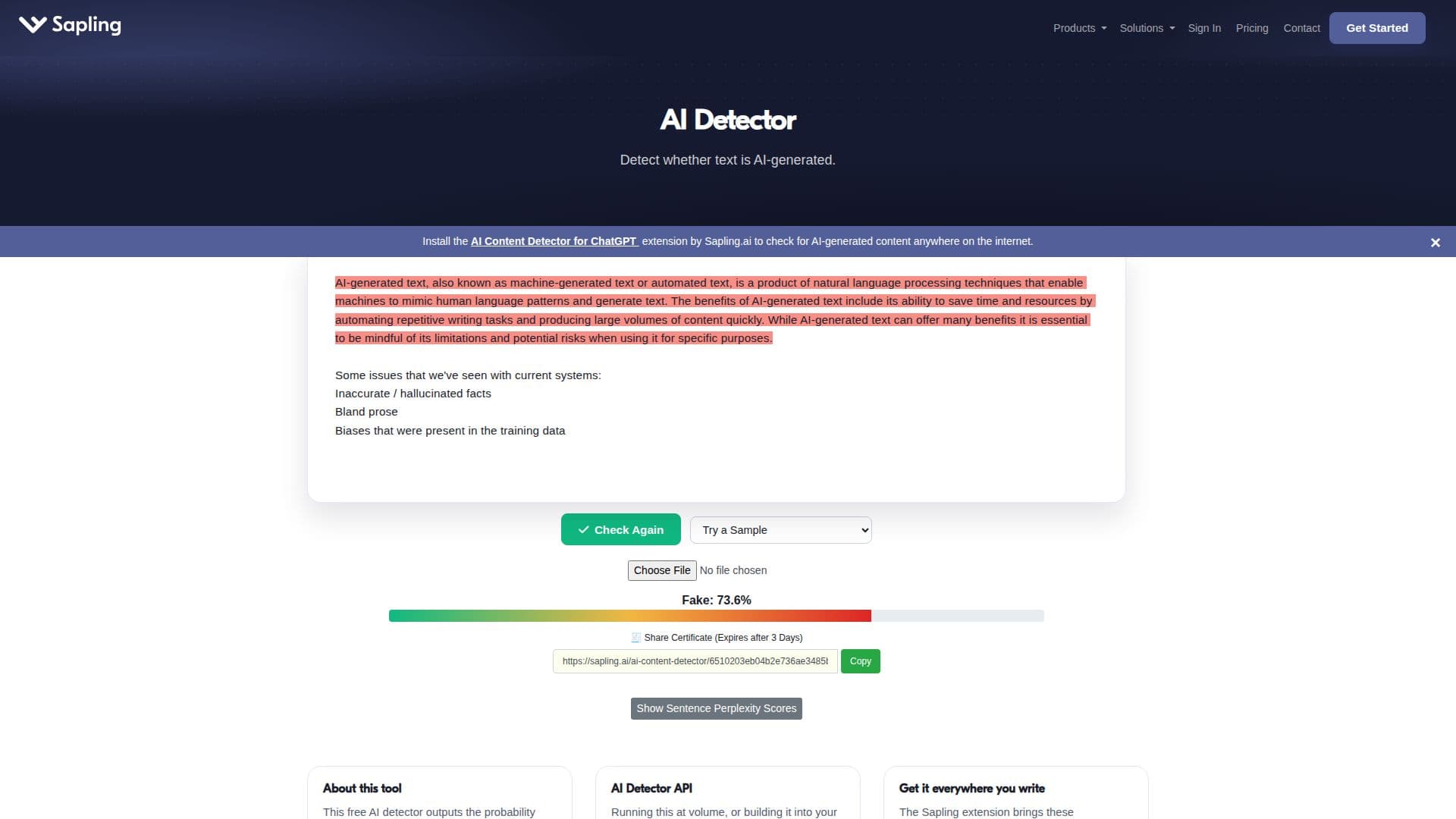
Description
Sapling's AI Detector is a powerful tool designed to identify AI-generated content with a remarkable accuracy rate of 97%. This free AI content detector not only checks for machine-generated text but also identifies 'AI slop,' which refers to low-quality, generic content produced by AI models. The tool is capable of analyzing various formats, including plain text, PDFs, and Word documents, making it versatile for different user needs.
Read More
The AI Detector utilizes advanced machine learning techniques, specifically a Transformer model, to estimate the likelihood that each token and sentence in the input text is generated by AI. This sophisticated approach allows users to receive real-time analysis and detailed feedback on their content. For premium users, the detector can handle up to 100,000 characters per check, providing extensive support for longer documents.
Sapling's AI Detector is particularly beneficial for educators, SEO practitioners, and content reviewers who need to discern between human-written and machine-generated text. The tool highlights portions of text that appear to be AI-generated, enabling users to make informed decisions about the authenticity of their content. Additionally, the AI Detector is designed to minimize false positives, boasting a false-positive rate of less than 3% for human-written content.
In a world where AI-generated text is becoming increasingly sophisticated, tools like Sapling's AI Detector are essential for maintaining content quality and integrity. By providing a reliable means of screening for AI-generated content, Sapling empowers users to navigate the complexities of modern writing and ensure that their work meets the highest standards of originality and insight.
- CategoryAI Content Detectors
- Pricing ModelFreemium
- DeploymentCloud
- PlatformsWeb
AI Detector's Core Features
97% accuracy rate
Supports PDF and DOCX files
Real-time analysis
Sentence-level detection
Up to 100,000 characters for premium users
Detects AI slop
Free to use
API available for integration
How to use AI Detector?
Upload your text or document: Choose a PDF or DOCX file to analyze.
Run the analysis: Click the 'Detect AI' button to start the detection process.
Review the results: Examine the overall score and highlighted sections of the text.
Make adjustments: Use the feedback to refine your content as needed.
AI Detector's Use Cases
- Content Quality Assurance
- Academic Integrity
- SEO Optimization
- Content Review
- Document Verification