Description
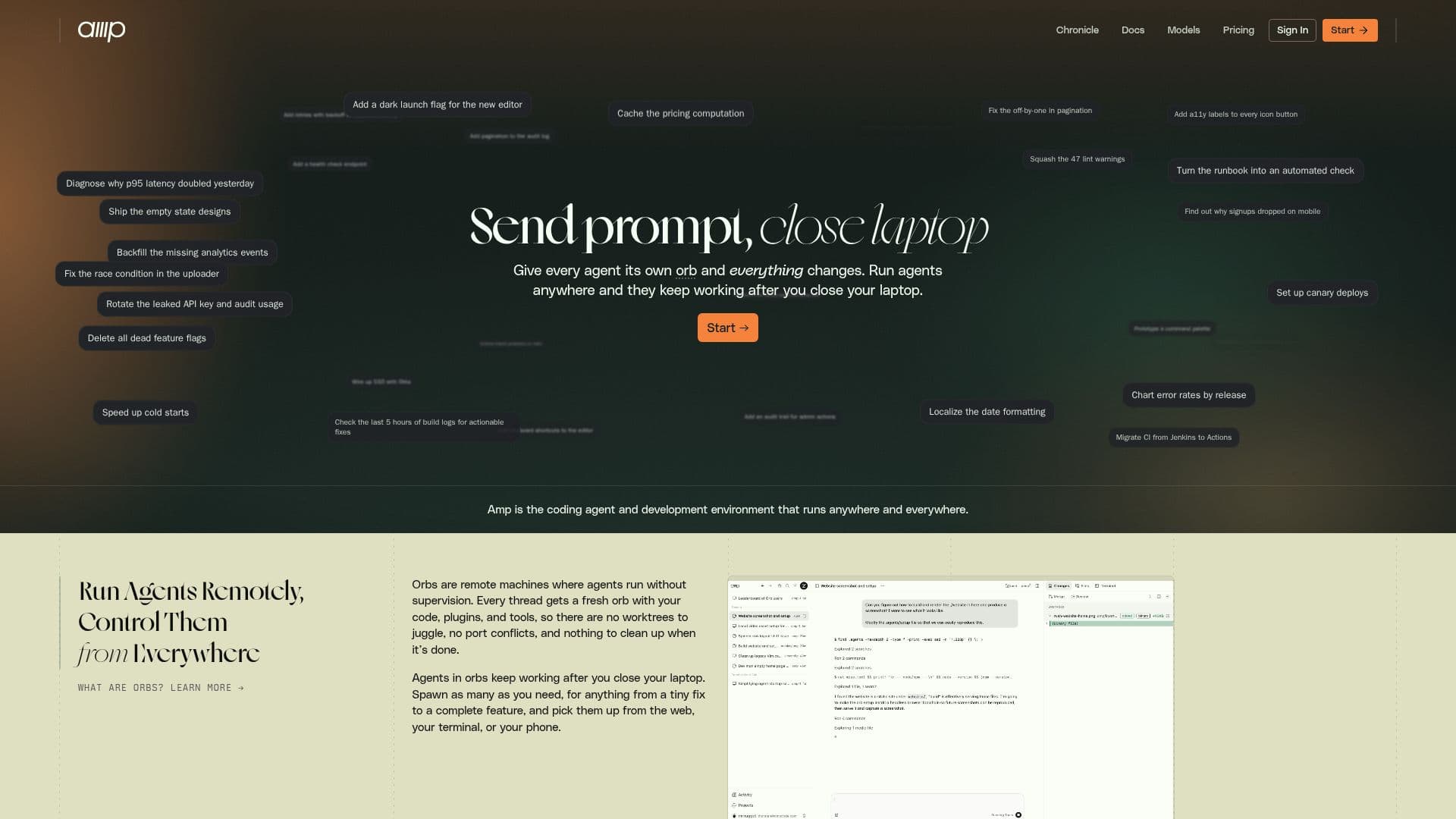
Amp is designed to be a coding agent and development environment that can run anywhere, providing users with the flexibility to manage their coding tasks remotely. With Amp, developers can juggle less and ship more, as it enables them to share their work with teammates and continue coding from various devices, including phones and laptops. This capability allows for a continuous workflow, even while users are away from their primary workstations.
Read More
One of the standout features of Amp is its ability to run agents remotely, allowing users to control their coding tasks from virtually anywhere. This is complemented by the ability to ship and modify applications quickly, ensuring that developers can address bugs and make necessary changes as soon as they arise. The platform also supports a multiplayer experience, enhancing collaboration among team members.
Amp utilizes a unique system of Orbs, which are machines created per thread, equipped with the user's code, tools, and plugins. This setup allows users to send prompts and close their laptops, with the assurance that their agents will continue working. The platform is built on a multi-model architecture, utilizing advanced models like GPT-5.6 and Claude Fable 5, ensuring that users can leverage the best tools for their specific tasks.
For teams and enterprises, Amp offers flexible subscription plans, including an educational discount for students and teachers. Users can choose between a monthly subscription or pay for unconstrained usage at standard rates, making it adaptable to various usage patterns. Amp also emphasizes security, with robust measures in place to protect user data and ensure a secure development workflow.
In summary, Amp is not just a coding tool; it is a comprehensive development environment that empowers users to manage their coding tasks efficiently, collaborate seamlessly, and maintain a secure workflow, all while leveraging the latest advancements in AI technology.
- CategoryAI Coding Assistants
- Pricing ModelSubscription
- DeploymentCloud
- PlatformsWeb, Mobile
Amp's Core Features
Remote Agent Control
Multi-Model Support
Real-Time Collaboration
Flexible Subscription Plans
Educational Discounts
Continuous Workflow
Bug Fixing on Demand
Customizable Orbs
How to use Amp?
Sign up: Create your account on Amp.
Connect: Link your ChatGPT subscription for enhanced capabilities.
Create: Start a project from a Git repository or begin a new one.
Run: Execute an agent in an Orb to perform tasks in a cloud environment.
Collaborate: Share your work with teammates and manage tasks remotely.
Monitor: Control and review your agents from any device.
Optimize: Adjust settings and configurations to suit your workflow.
Amp's Use Cases
- Remote Development
- Team Collaboration
- Bug Fixing
- Project Management
- Educational Use